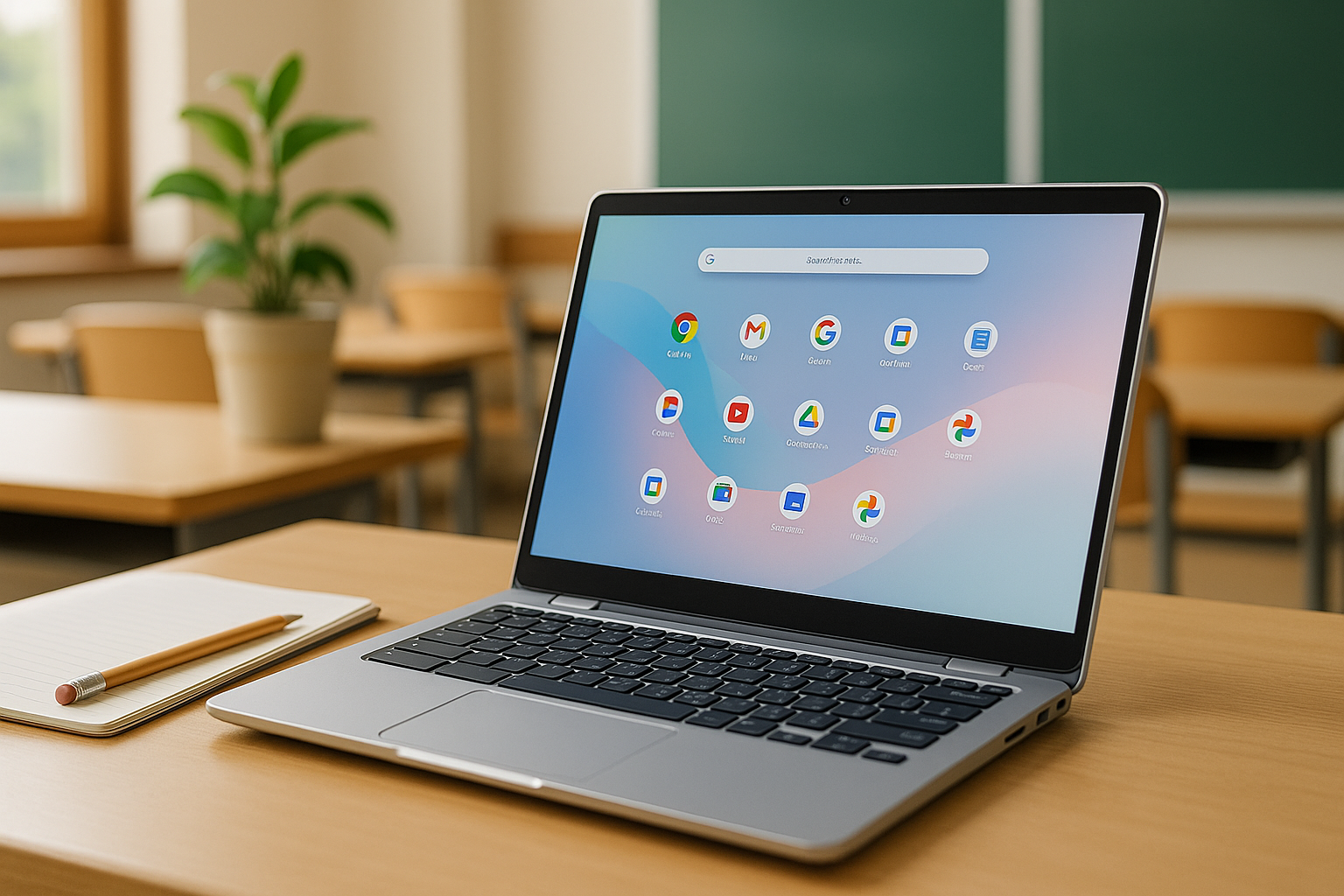



Best Chromebooks for Students in 2026 – discover the top Chromebook Plus and budget ChromeOS laptops for school, college, and remote learning, with clear recommendations for every type of student.
What Makes a Chromebook Great for Students in 2026?
If you’re shopping for the Best Chromebooks for Students in 2026, you’re probably looking for a mix of low stress, low cost, and high reliability. Chromebooks hit that sweet spot better than ever before.
Chromebooks run ChromeOS, a cloud-first operating system built around the Chrome browser and Android/Google Play apps. It’s designed to be fast, light, and secure, with automatic updates and built-in virus protection.chromeos.google+1 That’s exactly what students and parents need: a device that just works.
Chromebooks vs Traditional Laptops for School
Traditional Windows or macOS laptops can be great, but they also:
- Need more maintenance (manual updates, antivirus, driver issues).
- Are often more expensive for similar performance.
- Can feel slower or more complex to manage over time.
Chromebooks, on the other hand:
- Boot in seconds and feel very responsive for web work.chromeos.google+1
- Store most work in the cloud via Google Drive, Docs, Sheets, and Classroom.
- Have automatic background updates and built-in virus protection, which schools love.Alloy Software+1
For typical school tasks—research, essays, Google Classroom, Zoom/Meet calls, and basic media—they’re more than enough.
New in 2025–2026: Chromebook Plus and AI Tools for Learning
The big story going into 2026 is Chromebook Plus. Chromebook Plus is a new class of devices Google defined with higher minimum specs (more RAM, better CPUs, higher-quality displays) and built-in AI features like Gemini integration for writing help, image generation, and smarter productivity tools.Google
On the education side, Google has been rolling out:
- AI-powered lesson tools and personalized learning features in Google for Education.blog.google+2Chrome Unboxed+2
- Classroom management features that let teachers see student screens, share content, and use live translated captions.Chrome Unboxed+1
- Accessibility upgrades like face control for cursor movement and reading mode that reads text aloud.Chrome Unboxed
If you buy a Chromebook Plus model today, it’s designed to feel fast and modern through the 2026–2027 school years and beyond.
Why Schools Still Love Chromebooks
Schools continue to choose Chromebooks because:
- They’re easy to manage at scale using the Google Admin console.Google Help+1
- ChromeOS has strong security with sandboxing, verified boot, and built-in virus protection.Alloy Software+1
- Devices receive long-term automatic updates, often for 8+ years from launch.Google Help+1
This means a student Chromebook you buy now should keep getting updates and security patches throughout most of a typical school journey.
How to Choose the Right Student Chromebook
Before jumping into specific models, it helps to understand what actually matters for a student Chromebook in 2026.
Key Specs That Actually Matter (CPU, RAM, Storage, Screen)
For most students:
- CPU (Processor)
- Look for recent Intel Core (i3 or better), Intel Core 3, or newer MediaTek Kompanio chips. These power many Chromebook Plus models and feel very snappy for school work.Android Central+2WIRED+2
- RAM
- 8 GB RAM is the sweet spot for students. It allows multiple tabs, Google Docs, Meet calls, and apps without slowdowns.
- 16 GB RAM is fantastic for heavy multitaskers, STEM majors, or creative students working with lots of tabs and Android apps.
- Storage
- 64–128 GB is usually enough, since most student work is cloud-based.
- Go 128–256 GB if you install lots of Android apps or store offline videos.
- Screen
- For younger kids, 11.6″–13.3″ is light and portable.
- For high school and college, 14″–16″ with Full HD (1920×1080 or 1920×1200) is easier on the eyes.
- OLED and high-refresh panels (on some Chromebook Plus models) look stunning for media.TechRadar+1
Battery Life, Portability, and Durability
- Battery life: Aim for 8–10 hours rated battery life so a student can get through a full day of classes and homework. Many modern Chromebooks hit or exceed this.WIRED+1
- Portability: Under ~1.4 kg (about 3 lbs) is ideal if your student walks between classes or commutes. Tablets-with-keyboards like the Lenovo Chromebook Duet feel incredibly light.PCWorld+1
- Durability: For younger kids, look for ruggedized designs, spill-resistant keyboards, and MIL-STD-tested chassis like the Dell Chromebook 3110 series.Google for Education+1
Auto-Update Expiry (AUE) and Future-Proofing
Every ChromeOS device has an Auto-Update Expiry (AUE) date—the date when it will stop receiving automatic ChromeOS updates. Google maintains a public list of models and their AUE dates, many stretching into the 2030s for newer Chromebook Plus devices.Google Help+1
For a student buying in 2025–2026:
- Make sure the AUE date is at least 5–7 years away.
- This ensures you’ll keep getting new features and security patches for most of high school or college.
Budget Tiers: Matching Devices to Students
Roughly, here’s how pricing and needs tend to line up (prices can shift a lot with sales):
- Under-budget / cheap tier – often under US$250 on sale
- Great for: elementary school, light middle-school work, basic homework, and browsing.
- Mid-range (~US$250–550)
- Ideal for: most high-schoolers and many college students who need lots of tabs, video calls, and stable performance.
- Premium (US$550 and up)
- Best for: power users, media or design students, or anyone who wants the best screen, performance, and build quality.
With that in mind, let’s jump into the Best Chromebooks for Students in 2026 and see which model fits which type of learner.
Best Chromebooks for Students in 2026: Quick Comparison Table
Below is a simplified snapshot of our top picks and what they’re best at:
| Model | Best For | Key Highlights* |
|---|---|---|
| Acer Chromebook Plus 515 | Best overall for most students | Big 15.6″ screen, strong performance, great value Android Central |
| HP Chromebook 14a | Best low-budget option | Affordable, good enough for basic homework Android Central |
| Lenovo Chromebook Plus 14 | Best performance & OLED display | Fast Kompanio Ultra 910, up to 16 GB RAM, OLED screen Android Central+1 |
| Lenovo IdeaPad Flex 5i Chromebook Plus | Best 2-in-1 student Chromebook | Convertible, great for handwritten notes and media Android Central+1 |
| Acer Chromebook Plus Spin 714 | Best premium portable workhorse | High-end Intel chip, 2-in-1, great for STEM students Google for Education+1 |
| Acer Chromebook Plus 516 | Best big 16″ screen | Large 16″ 1200p display, multi-tasking dream WIRED+1 |
| Lenovo Chromebook Duet (Duet series) | Best ultra-portable | Tablet + detachable keyboard, very light PCWorld+1 |
| Dell Chromebook 3110 / 3110 2-in-1 | Best for younger students | Rugged design made for classrooms Google for Education+1 |
| Samsung Galaxy Chromebook Plus | Best for creative students | 15.6″ AMOLED, slim design, AI features Android Central+1 |
| Asus Chromebook CM14 / CX14 | Solid mid-range pick | Good 14″ display, current Intel CPUs, student-friendly TechRadar+1 |
| HP Chromebook Plus 15.6″ | Large all-rounder | Great 1080p display, strong everyday performance TechRadar |
*Specs and availability vary by region and configuration.
Best Overall: Acer Chromebook Plus 515
If you just want one simple answer for “Which Chromebook should most students buy?”, the Acer Chromebook Plus 515 is that answer for many families and schools.
Tech reviewers consistently rate it as one of the best all-round Chromebooks for students, thanks to its balance of performance, screen size, and price.Android Central+1
Why the Acer Chromebook Plus 515 Stands Out for Students
Key strengths:
- Performance that lasts – Powered by modern Intel Core processors and at least 8 GB of RAM in many Chromebook Plus configs, it’s built for heavy everyday use: dozens of tabs, Meet calls, Docs, Slides, and more.Android Central+1
- Large, sharp display – The 15.6″ Full HD display gives you a lot of space for split-screen multitasking—great for writing essays while keeping research open on the side.
- Comfortable keyboard and touchpad – Important for long writing sessions or coding assignments.
- Chromebook Plus features – Extra AI tools, better video call enhancements, and improved offline capabilities help it feel premium.Google+1
For high school and college students who do a lot of writing, reading, and online research, this is the kind of Chromebook that can genuinely last for several years of heavy use.
Who Should Buy the Acer Chromebook Plus 515?
The 515 is ideal if:
- You’re a high school or college student.
- You value a bigger screen and won’t mind slightly more weight in your backpack.
- You want something that can handle multiple tabs, Android apps, and video calls with ease.
It’s less ideal if you:
- Need maximum portability and super low weight (look at the Lenovo Duet).
- Want a 2-in-1 convertible for drawing or handwritten notes (see the Flex 5i or Spin 714).
Best Budget Pick: HP Chromebook 14a
Not every student needs a powerhouse. If your budget is tight and schoolwork is mostly basic—Google Docs, online textbooks, a few tabs—then the HP Chromebook 14a is one of the best cheap options still worth buying.Android Central
Where HP Chromebook 14a Makes the Most Sense
This Chromebook hits a sweet spot when:
- You want a larger 14″ screen without paying mid-range prices.
- The main tasks are:
- Browsing and research
- Essays and slides
- YouTube and light streaming
- You’re okay with “good enough” performance rather than blazing speed.
Frequent sales and bundles make it especially attractive for families equipping multiple kids at once.Android Central+1
What You Give Up at the Low Price
To reach this price point, a few corners are usually cut:
- The CPU and RAM are typically more modest, so lots of heavy tabs or big Android apps can slow it down.Android Central
- The build is more basic; it’s not as tough or premium-feeling as higher-end models.
- You likely won’t get the fancier AI features of Chromebook Plus devices.
If you can stretch your budget, stepping up to a Chromebook Plus model will age better. But if the absolute bottom line matters most, the HP Chromebook 14a is a very reasonable starting point.
Best for Performance: Lenovo Chromebook Plus 14 (OLED)
If you want a Chromebook that feels shockingly close to a premium Windows ultrabook but still runs ChromeOS, the Lenovo Chromebook Plus 14 is the standout performance pick.
Recent round-ups highlight it as one of the best modern Chromebooks overall, especially in configurations with its MediaTek Kompanio Ultra 910 chip and up to 16 GB of RAM, paired with a 14″ OLED display.Android Central+1
MediaTek Kompanio Ultra Power and OLED Display
What makes this model special:
- Fast Kompanio Ultra 910 CPU – This ARM-based processor is optimized for ChromeOS and feels snappy even under heavy workloads.WIRED+1
- Up to 16 GB RAM – That’s more than many Windows laptops in the same price range, giving you lots of headroom for multitasking.Android Central+1
- OLED touchscreen – Deep blacks, vivid colors, and excellent contrast make it a joy for watching lectures, editing photos, or relaxing with Netflix.WIRED+1
All of that sits inside a relatively light and premium chassis, making it feel like a “grown-up” laptop, not a cheap school device.
Ideal for Multitaskers, Creators, and STEM Majors
This Chromebook is a great fit if:
- You’re a college student in a reading- or research-heavy major.
- You often have dozens of tabs open.
- You use Android apps for note-taking, mind-mapping, drawing, or even light coding.
- You care about screen quality for content creation or design classes.
It’s overkill for a younger student who just needs basic homework tools, but for serious learners and creators, it’s one of the most “future-proof” Chromebooks you can buy moving into 2026.
Best 2-in-1: Lenovo IdeaPad Flex 5i Chromebook Plus
Convertible Chromebooks are perfect for students who like to switch between typing and writing or drawing. The Lenovo IdeaPad Flex 5i Chromebook Plus is one of the best 2-in-1 options, balancing performance and price.Android Central+1
Tablet + Laptop in One for Note-Taking
The Flex 5i can:
- Flip into tent mode for watching videos.
- Fold into tablet mode for reading or drawing.
- Sit in regular laptop mode for typing essays.
Combined with Chromebook Plus-level specs (modern Intel processors, 8 GB RAM or more, and solid storage options), it feels fast and versatile.Android Central+2Google for Education+2
For students who prefer handwritten notes or like to annotate PDFs with a stylus, the Flex 5i’s form factor is a big win.
Flex 5i vs Traditional Clamshells
Why pick a 2-in-1 like the Flex 5i instead of a standard laptop?
- You can treat it like a digital notebook.
- It’s more comfortable for long reading sessions, using tablet mode.
- Presenting group work or watching lessons is easier in tent mode.
The trade-offs:
- The hinge and convertible design can add a bit of weight.
- If you never use tablet mode, a simpler clamshell like the Acer Chromebook Plus 515 might offer slightly better value.
Best Big-Screen Workhorse: Acer Chromebook Plus Spin 714 & 516
If you want lots of screen space and strong performance, two models stand out:
- Acer Chromebook Plus Spin 714 – a premium 14″ 2-in-1.Google for Education+1
- Acer Chromebook Plus 516 – a 16″ clamshell ideal as a “desk laptop.”WIRED+1
Why You Might Want a 14–16 Inch Chromebook
A big screen can make a huge difference when:
- You’re working on research papers and need multiple documents side-by-side.
- You use visual tools like diagrams, whiteboards, or spreadsheets.
- Accessibility or eyesight concerns make larger text and UI more comfortable.
Both models take advantage of Chromebook Plus standards to deliver solid CPUs, plenty of RAM, and good battery life.Google+2Google for Education+2
Spin 714 vs 516: Which One to Choose?
- Choose Spin 714 if:
- You want a premium, portable 2-in-1.
- You like taking handwritten notes or presenting content in tablet/tent mode.Google for Education+1
- Choose Chromebook Plus 516 if:
- You mostly work at a desk or dorm and want a 16″ display.
- You need a “big screen Chromebook” for multi-window multitasking.WIRED+1
Either way, these are excellent choices for serious students heading into 2026.
Best for Portability: Lenovo Chromebook Duet Series
Some students simply need something incredibly light, easy to carry, and cheap to power. That’s where the Lenovo Chromebook Duet series shines.
The Duet is a tablet with a detachable keyboard and kickstand, often weighing around 2 lbs or less including accessories.PCWorld+1
Chromebook Tablet for On-the-Go Students
The Duet is perfect for:
- Students who commute or move between lots of classrooms.
- Kids who like using a touchscreen first, with keyboard second.
- Anyone who wants to travel light but still type essays and respond to emails.
Battery life is typically excellent too, making it great for note-taking in class and Netflix afterward.PCWorld+1
Where the Duet Shines (and Where It Doesn’t)
Strengths:
- Extremely portable and compact.
- Detachable keyboard makes it flexible for reading vs writing.
- Often very affordable, especially on sale.Android Central+1
Weaknesses:
- The small screen can feel cramped for long essay sessions.
- Performance is usually fine for basic tasks but not ideal for heavy multitasking.PCWorld+1
If you’re a power user, look to the Lenovo Chromebook Plus 14. If you’re a lightweight user or frequent traveler, the Duet is a joy.
Best for Younger Kids: Dell Chromebook 3110 & 3110 2-in-1
For elementary and early middle school, durability is more important than raw specs. The Dell Chromebook 3110 and 3110 2-in-1 were built for classroom abuse.Google for Education+1
Drop-Resistant Design and Simple Management
Key features:
- Rugged chassis designed to withstand drops and bumps.
- Spill-resistant keyboards and reinforced ports.
- Compact, kid-friendly size (under 12″ display).Google for Education+1
Schools can manage these devices easily with ChromeOS device management and Google Workspace for Education tools, pushing apps and security settings remotely.Google Help+2Google for Education+2
Ideal Ages and Use Cases
These models are best for:
- Grades 2–8 where devices may be shared or frequently carried in backpacks.
- Simple tasks: Google Classroom, Docs, basic web apps, and light media.
- Parents who want something tough and straightforward rather than flashy.
For older students, a bigger screen and higher performance will usually be more comfortable.
Best for Creatives: Samsung Galaxy Chromebook Plus
If you care deeply about display quality and design, the Samsung Galaxy Chromebook Plus is a head-turning machine.
Recent deals show it as a 15.6″ Chromebook Plus with an AMOLED display, Intel Core processor, 8 GB RAM, and 256 GB storage, making it a strong choice for creative students and heavy media consumers.Android Central+1
Why the Display Matters for Art and Media
The AMOLED panel on the Galaxy Chromebook Plus offers:
- Deep blacks and very high contrast.
- Bright, vivid colors that are great for photo editing and design.
- A more immersive viewing experience for animations, films, and presentations.Android Central+1
Paired with Chromebook Plus AI features and media-friendly specs, it’s an ideal “creator Chromebook.”
Is the Premium Price Worth It for Students?
This model isn’t the cheapest, but frequent discounts bring it closer to mid-range pricing.Android Central+1
It’s worth it if:
- You’re a design, media, or communications student.
- You want a beautiful screen and spacious 15.6″ workspace.
- You’ll make use of its AI and productivity features.
If you just need basic school tools, something like the Acer Chromebook Plus 515 or an HP Chromebook might offer better bang for your buck.
Best Chromebooks for Students in 2026: Which One Should You Choose?
We’ve covered a lot of models, so let’s simplify it based on who you are.
Quick Recommendations by Student Type
- Elementary or younger middle-school students
- 🔹 Pick: Dell Chromebook 3110 / 3110 2-in-1 – rugged, school-ready.Google for Education+1
- Budget-conscious middle-school or early high-school students
- 🔹 Pick: HP Chromebook 14a – affordable, good enough for homework.Android Central
- Most high-school students
- 🔹 Pick: Acer Chromebook Plus 515 – great all-rounder, big screen, strong performance.Android Central+1
- College students and power users
- 🔹 Pick: Lenovo Chromebook Plus 14 (OLED) or Acer Chromebook Plus Spin 714 for performance and premium features.WIRED+1
- Tablet lovers / commuters
- 🔹 Pick: Lenovo Chromebook Duet – ultra light and flexible.PCWorld+1
- Creative or media students
- 🔹 Pick: Samsung Galaxy Chromebook Plus – AMOLED screen and strong specs.Android Central+1
Essential Accessories for Student Chromebooks
A few low-cost extras can make a big difference:
- Protective sleeve or case – protects in backpacks.
- Wireless mouse – useful for spreadsheets or longer sessions.
- USB-C hub – adds HDMI, USB-A, and SD card support if needed.
- Good headset or earbuds – for remote classes and noisy environments.
- External storage or cloud upgrades – Google One or similar, if you need more space.
If you want to go deeper into how Chromebooks fit into education ecosystems, Google’s official Chromebooks for Education pages offer detailed guides and model lists, which are updated regularly.Google for Education+1
FAQs About Student Chromebooks in 2026
1. Are Chromebooks still a good choice for students in 2026?
Yes. Chromebooks remain one of the best choices for students because they’re affordable, secure, and easy to manage. Schools and districts continue to deploy them at scale due to automatic updates, built-in security, and tight integration with Google Classroom and Google Workspace for Education.Alloy Software+2Google for Education+2
For most academic paths that rely on web apps and Google tools, a Chromebook is more than enough.
2. Can a Chromebook handle all my schoolwork, including college?
For many majors, yes. A Chromebook can easily take care of:
- Research and writing (Docs, Sheets, Slides).
- Online learning platforms and digital textbooks.
- Video conferencing (Google Meet, Zoom).
- Note-taking and organization apps from the Play Store.
However, if your college program requires specialized Windows/macOS software—for example, advanced engineering tools, high-end 3D modeling, or certain creative suites—you might need a secondary or different device for that heavy work. Schools usually list these requirements on their program pages.
3. What’s the difference between Chromebook and Chromebook Plus?
Chromebook Plus is Google’s newer standard for higher-end Chromebooks. Compared to basic models, Chromebook Plus devices generally offer:
- Faster processors and at least 8 GB RAM.
- Higher-quality screens and webcams.
- New AI-powered features, guided by Google’s Gemini tools.Google
If your budget allows, a Chromebook Plus will feel faster, stay relevant longer, and is a great choice for students.
4. How important is the AUE (Auto-Update Expiry) date?
It’s very important. After the AUE date, a Chromebook no longer receives automatic ChromeOS updates. That means:
- No new features.
- No security updates.
- Potential compatibility issues with some newer web apps.
Always check the AUE date on Google’s official list (schools and admins use it too) and aim for a device that will keep updating throughout your expected years of study. Many modern Chromebook Plus devices have AUE dates into the early-to-mid 2030s.Google Help+1
5. Can Chromebooks work offline?
Yes. While Chromebooks are cloud-first, many apps support offline work:
- Google Docs, Sheets, and Slides can be set to offline mode.
- Gmail and Calendar have offline capabilities.
- Many Android apps (note-taking, reading apps, etc.) work offline by default.
When the connection comes back, your work syncs automatically. Chromebook Plus devices even enhance offline capabilities as part of their feature set.Google+1
6. Are Chromebooks safe for kids?
Chromebooks are generally very safe for kids and classrooms:
- They have built-in virus protection and sandboxed apps.
- Schools can use admin controls and content filters to restrict access.Google Help+2Google for Education+2
- Individual family accounts can add parental control tools and supervised profiles.
They’re one of the easiest platforms for parents and schools to manage without deep technical expertise.
7. Should I buy a cheap Chromebook now or save for a Chromebook Plus?
If you can wait and save, a Chromebook Plus is usually the better long-term investment. It will:
- Feel faster for longer.
- Handle more tabs and heavier workloads.
- Offer better AI and offline features going into 2026 and beyond.Google+1
But if your student urgently needs a device for basic homework and budget is tight, a well-chosen budget Chromebook like the HP Chromebook 14a is still a solid stop-gap.
Conclusion: Future-Proofing Your Learning with ChromeOS
Choosing among the Best Chromebooks for Students in 2026 doesn’t have to be overwhelming. Focus on:
- Who’s using it (age, grade, workload).
- How they’ll use it (basic homework vs advanced projects).
- Where they’ll use it (home, school, long commutes).
- How long it needs to last (check that AUE date).
For most students, an all-rounder like the Acer Chromebook Plus 515 will provide years of reliable performance. Power users can step up to the Lenovo Chromebook Plus 14 or Acer Chromebook Plus Spin 714, while younger kids are well served by rugged options like the Dell Chromebook 3110. Ultra-mobile students can’t go wrong with a Lenovo Chromebook Duet, and creative learners may love the Samsung Galaxy Chromebook Plus.
Whichever device you choose, ChromeOS, Google Classroom, and Google for Education tools will continue evolving, with AI-powered features and accessibility improvements helping students learn more efficiently and inclusively through 2026 and beyond.
- Google Chromebook — Official
- Acer Chromebooks
- ASUS Chromebooks
- Lenovo Chromebooks
- HP Chromebooks
- Samsung Chromebooks
- PCMag — Best Chromebooks
- WIRED — Best Chromebook List
All Rights Reserved © 2026