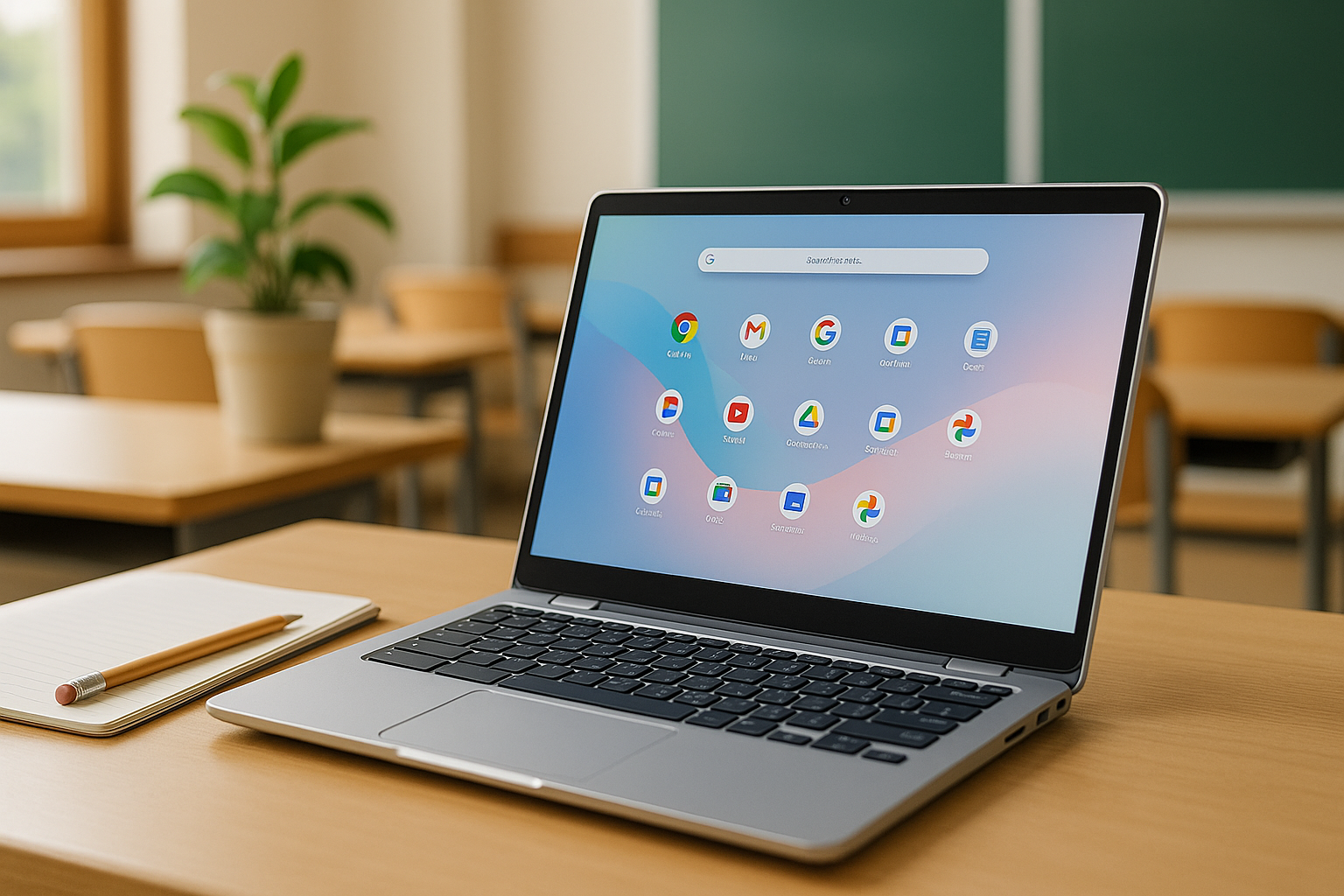



Best Tablets for Students in 2026 – discover the top iPad, Android, and Windows tablets for school, college, and online learning, with clear recommendations for every budget and learning style.
The search for the Best Tablets for Students in 2026 can feel overwhelming. iPads, Android tablets, Windows 2-in-1s, styluses, keyboards, FE, Air, Pro… it’s a lot. This guide breaks everything down into clear recommendations so you can choose a tablet that fits your budget, your studies, and your style—and that will stay useful for years.
Best Tablets for Students in 2026: Why Tablets Still Make Sense for Students in 2026
Tablets have come a long way. In 2026 they’re not just “big phones” anymore—they’re serious study tools.
Best Tablets for Students in 2026: Tablets vs Laptops for School and College
Where tablets shine:
- Note-taking with a stylus in apps like GoodNotes, Notability, OneNote, or Samsung Notes.
- Reading and annotating PDFs like textbooks and research papers.
- Light, portable form factor that’s easier to carry than many laptops.
- Long battery life, often 10+ hours, so you can go a full day of classes.
Where laptops still win:
- Heavy desktop-class apps (specialized engineering tools, some dev tools).
- Complex multitasking across multiple external displays.
- “Traditional” typing experience with no accessory needed.
In 2026, the best student setup for many people is tablet + keyboard, which can double as a light laptop for most school work.
Study, Stream, Create: What Students Really Do on Tablets
Students typically use tablets for:
- Note-taking and drawing during lectures.
- Reading slides and e-books on the couch or bus.
- Video calls and online classes.
- Media and social (YouTube, Netflix, TikTok, Insta).
- Light creativity (photo editing, simple video edits, mind-maps).
Any tablet considered one of the Best Tablets for Students in 2026 should handle all of that without stuttering.
How to Choose the Best Tablets for Students in 2026
Before we look at specific models, let’s quickly decode the main choices.
Operating Systems: iPadOS vs Android vs Windows
- iPadOS (Apple iPad)
- Best app ecosystem for note-taking and creativity.
- Tight integration with Mac and iPhone.
- Great long-term software support and resale value.Apple+1
- Android (Samsung, OnePlus, Lenovo, Xiaomi, etc.)
- More hardware variety and price points.
- Often includes stylus (like S Pen) in the box.Samsung+1
- Better for customization and expandable storage.
- Windows (Surface Pro, some 2-in-1s)
- Full desktop apps (Office, dev tools, engineering software).
- Can replace a laptop entirely—but usually costs more.Back Market
Key Specs That Actually Matter (Chip, RAM, Storage, Display)
- Chip / Processor
- Apple M-series chips (M2, M3) in iPad Air and Pro offer laptop-class performance in thin tablets.Apple+1
- High-end Android chips (e.g., OnePlus Pad 3’s Snapdragon 8 Elite, Samsung Galaxy Tab S11’s Dimensity 9400+ or similar) give plenty of power for multitasking and media.Android Central+2Android Central+2
- RAM
- 6 GB is minimum for lighter student use.
- 8–12 GB is ideal for heavier multitasking and big apps.Android Central+1
- Storage
- 64 GB only if you don’t store much offline.
- 128 GB is a safer baseline; 256 GB+ for lots of downloaded videos, large files, or creative work.
- Many Android tablets support microSD expansion (for example, Lenovo Idea Tab Pro).TechRadar+1
- Display
- 10–11″ is great for portability.
- 12–13″ is fantastic for PDFs and split-screen.
- High refresh rate (90–144 Hz) and OLED/AMOLED screens look amazing for reading and media.Android Central+2TechRadar+2
Stylus, Keyboard, and Accessories for Note-Taking
A tablet without a keyboard and stylus is just half a study tool.
- Stylus:
- Apple Pencil Pro (iPad Air M3) supports hover, squeeze, and advanced controls.Apple+1
- Samsung S Pen (Galaxy Tab S9/S10 FE, Tab S11) is included and excellent for writing and diagrams.Samsung+2TechRadar+2
- Lenovo Tab Pen Plus is bundled with Lenovo Idea Tab Pro, boosting value.TechRadar
- Keyboard:
- Look for official keyboard covers or quality third-party Bluetooth keyboards for proper typing.
- For essay-heavy courses, a good keyboard is non-negotiable.
Battery Life, Portability, and Durability for Campus Life
- Aim for 8–12 hours of mixed use (almost all tablets listed here can do that).Back Market+2Android Central+2
- Under ~600–700 g (without keyboard) keeps your backpack comfortable.
- Some Android tablets like Galaxy Tab S9 FE series are IP-rated for water and dust, which is surprisingly useful in real student life.
- Apple iPad — Official
- Samsung Galaxy Tab Series
- Lenovo Tablets
- Huawei Tablets
- Amazon Fire Tablets
- Surface Go — Microsoft
- PCMag — Best Tablets
- WIRED — Best Tablets
Best Tablets for Students in 2026: Quick Comparison Table
| Tablet | OS | Best For | Key Highlights |
|---|---|---|---|
| iPad Air (M3, 11″/13″) | iPadOS | Best overall for most students | M3 chip, Apple Pencil Pro, great balance of price & power Apple+1 |
| iPad (10th Gen) | iPadOS | Budget iPad | Cheaper, still strong for notes & media Apple+1 |
| Samsung Galaxy Tab S10 FE Plus | Android | Best Android for most students | Big high-refresh display, S Pen in box, water-resistant FE line TechRadar+2Samsung+2 |
| Samsung Galaxy Tab S9 FE | Android | Great mid-range | Slightly older, cheaper FE with IP68 & S Pen Samsung+1 |
| Samsung Galaxy Tab S11 | Android | Premium Android | Fast SoC, 120 Hz display, strong battery Android Central+1 |
| OnePlus Pad 3 | Android | Big-screen productivity | 13.2″ 144 Hz display, Snapdragon 8 Elite, multitasking features Android Central+1 |
| Lenovo Idea Tab Pro | Android | Best value tablet | 12.7″ 3K 120 Hz, stylus included, great sub-$400 option TechRadar+1 |
| OnePlus Pad Go | Android | Cheap Android | Budget pick with big screen and decent performance TechRadar+1 |
| Microsoft Surface Pro 11 | Windows | Laptop replacement | Full Windows, great for heavy software Back Market |
| Samsung Galaxy Tab A-series / A11 | Android | Younger students & kids | Affordable, kids’ mode, family-friendly The Times of India+1 |
Now let’s go tablet by tablet.
Best Tablets for Students in 2026 Best Overall Student Tablet: iPad Air (M3)
For most people, the iPad Air (M3) is the single best answer to “Which tablet should I buy for school?”
Apple refreshed the iPad Air line with M-series chips, 11″ and 13″ high-resolution Liquid Retina displays, Apple Pencil Pro support, and excellent cameras, making it a powerhouse that still feels lighter and cheaper than the iPad Pro.Apple+2Apple+2
Why iPad Air (M3) Hits the Sweet Spot for Students
- Laptop-class performance – The M-series chip is more than enough for note-taking, multitasking, coding tutorials, and creative apps.Apple+1
- Two size options – 11″ for portability, 13″ for those who live in PDFs and split-screen.Apple+1
- Apple Pencil Pro support – With hover, squeeze, and advanced gestures, it’s ideal for math, diagrams, and handwritten notes.Apple+1
- Magic Keyboard support – Turns the iPad Air into a very capable typing machine for essays and research.Apple
- Long software support – iPads receive updates for many years, which is crucial if you want one device to last through high school or college.
If you want one device that can handle almost everything—classes, reading, editing, basic video work, art, and Netflix—the iPad Air (M3) is arguably the most balanced option among the Best Tablets for Students in 2026.
Best Tablets for Students in 2026: Who Should Choose iPad Air Over iPad or iPad Pro?
Choose iPad Air if:
- You want a lot of power without paying iPad Pro prices.
- You’ll use Apple Pencil Pro and a keyboard regularly for serious study.
- You care about longevity and resale value.
The iPad Pro is mainly worth it if you need the absolute best display and performance for advanced creative or professional workflows. For most students, the Air is the smarter buy.
Best Budget iPad: iPad (10th Generation)
If your heart says “iPad” but your wallet screams “help”, the iPad (10th generation) is the way to go.
It’s often discounted and highlighted as one of the best student tablets thanks to its balance of price, performance, and access to the iPad app ecosystem.Back Market+1
When the Base iPad Is “Good Enough”
For many students, the base iPad still offers:
- A solid display for reading, note-taking, and streaming.
- Apple Pencil (USB-C) support for handwritten notes.Apple+1
- Access to the same apps as the Air and Pro.
It’s ideal for:
- Middle-school and high-school students with regular workloads.
- College students in text-heavy majors who don’t need advanced creative performance.
- Parents buying tablets for multiple kids.
iPad (10th Gen) vs Older Used iPads
Older used iPads can be tempting, but:
- They’ll lose software support sooner.
- Batteries may already be worn.
- Accessory support (like newer Apple Pencils) may be weaker.
If you can, aim for iPad (10th gen) or newer instead of much older refurb models so you’re not forced to upgrade again too quickly.
Best Tablets for Students in 2026 Best Android Tablet for Most Students: Samsung Galaxy Tab S10 FE Plus
On the Android side, the star of the show is the Samsung Galaxy Tab S10 FE Plus.
Tech reviewers and deal roundups highlight it as a high-value tablet that competes nicely with iPad Air but offers more features like water resistance and S Pen in the box.TechRadar+2Samsung+2
Tab S10 FE Plus for Notes, Multitasking, and Media
Reasons to pick the Tab S10 FE Plus:
- Big, bright display (around 12″ class) with high refresh rate, excellent for split-screen and media.TechRadar+1
- S Pen included – no extra cost for handwriting and drawing.Samsung+1
- IP-rated design – FE series brings water and dust resistance uncommon in tablets, handy for real-world student mishaps.Samsung+1
- Samsung DeX and multitasking – great for running multiple apps like a mini laptop.
If you prefer Android or use a Samsung phone, this tablet slots nicely into your ecosystem.
When to Pick Tab S9 FE Instead
The Galaxy Tab S9 FE is now a slightly older but still excellent option, often discounted:
- Still has S Pen in the box, vivid display, and good performance.Samsung+2Samsung+2
- More budget-friendly as newer FE models appear.
Pick Tab S9 FE if you want a cheaper mid-range option; pick Tab S10 FE Plus if you want the latest features and can stretch your budget.
Best Premium Android Tablet: Samsung Galaxy Tab S11
If you want Android at its best, the Samsung Galaxy Tab S11 is one of the top premium tablets for students.
Rankings of the best tablets for students and best Android tablets put the Galaxy Tab S11 near the top thanks to its fast SoC, 11″ high-resolution display, 120 Hz refresh rate, and strong battery life.Android Central+2Tech Advisor+2
Why Galaxy Tab S11 Competes with iPad Air and Pro
- Powerful processor (e.g., MediaTek Dimensity 9400+ or equivalent) and lots of RAM (up to about 12 GB) deliver smooth performance.Android Central+1
- Premium screen with 120 Hz refresh makes writing and scrolling feel super fluid.Android Central+1
- S Pen in box again boosts value for students taking handwritten notes or drawing.
Choose the Galaxy Tab S11 if you:
- Are deeply in the Android ecosystem.
- Want a premium tablet that can realistically replace a laptop for everyday student life.
- Care about having one of the most powerful Android slates on the market.
Best Big-Screen Note-Taking Machine: OnePlus Pad 3
The OnePlus Pad 3 stands out as a big-screen tablet with a serious spec sheet at a competitive price.
Recent coverage highlights it as a “steal” when discounted, thanks to its Snapdragon 8 Elite processor, 12 GB of RAM (with options up to 16 GB), and a large 13.2″ 144 Hz display.Android Central+1
Open Canvas, Multitasking, and Keyboard Support
Why it’s attractive to students:
- Huge high-resolution display is perfect for two full-size apps side-by-side—timelines, notes, PDFs, and slides together.Android Central
- Fast chip and lots of RAM mean lag-free multitasking.
- OnePlus’ productivity features (like Open Canvas) are optimized for multi-window workflows.Android Central+1
If you’re the sort of student who lives in split-screen and doesn’t mind a slightly larger device, the OnePlus Pad 3 is a powerhouse.
Best Value Android Tablet: Lenovo Idea Tab Pro
If you want most of the premium experience without the premium price, the Lenovo Idea Tab Pro is a fantastic option.
Tech deals and tablet guides position it as one of the best iPad alternatives, especially when it’s on sale, thanks to a large 12.7″ 3K 120 Hz display, a strong Dimensity 8300 chipset, and Lenovo Tab Pen Plus stylus included in the box.TechRadar+1
Why It’s a Strong iPad Alternative Under $400
- Great value under about $400/£400 when discounted.TechRadar
- Large, sharp 3K screen is perfect for textbooks and notes.
- Stylus included—no extra Apple Pencil-style cost.
- MicroSD expansion adds flexibility for storing notes and media.TechRadar+1
For students who want a powerful, stylus-ready tablet but don’t want to pay iPad Air money, the Idea Tab Pro is a smart pick among the Best Tablets for Students in 2026.
Best Cheap Tablet: OnePlus Pad Go and Other Entry-Level Android Options
When every dollar counts, you still have decent options.
TechRadar and deal roundups often point to the OnePlus Pad Go as a standout cheap tablet, thanks to its big screen and reasonable performance at low prices.TechRadar+1
It’s ideal for:
- Light note-taking.
- Web research and reading.
- Streaming and casual apps.
At this level, you’re trading away some performance and premium features (no high-end chip, less RAM, sometimes weaker speakers), but for basic school tasks, it’s more than enough.
Best Windows 2-in-1: Microsoft Surface Pro 11
Sometimes a tablet isn’t enough—you need full Windows.
Guides to student tablets list the Microsoft Surface Pro 11 as a top Windows option for students who need the full desktop experience in a tablet form factor.Back Market
When a Windows Tablet Makes More Sense Than iPad or Android
Choose Surface Pro 11 if:
- Your course requires full desktop software: advanced data analysis, CAD, engineering tools, or specific Windows-only apps.
- You need a tablet that can genuinely replace a laptop, complete with trackpad and keyboard.
- You’re comfortable managing Windows updates and security.
It’s usually pricier than an iPad or Android tablet once you add the keyboard and stylus, but as a single device for work + school, it can be a smart long-term investment.
Best Tablets for Younger Students and Kids
Best Tablets for Students in 2026: Not every student is in university. Younger learners and families may want something simpler, tougher, and cheaper.
Small, Affordable Android Tablets (Galaxy Tab A-Series, etc.)
Best Tablets for Students in 2026 Models like Samsung’s Galaxy Tab A-series or the newer Galaxy Tab A11 are aimed at general users, including kids. The Tab A11, for example, offers an 8.7″ display and a 5,100 mAh battery in an affordable package, targeting children and adults who need entertainment and light productivity.The Times of India+1
These are good for:
- Elementary and middle-school kids.
- Reading, watching videos, simple educational apps.
- Shared family use with kids’ profiles and parental controls.
They’re not powerful enough for heavy multitasking or big creative workloads, but as starter devices, they’re perfectly fine.
Choosing the Best Tablets for Students in 2026: Scenarios & Shortlists
Let’s bring everything together with quick recommendations.
For School, College, and Creative Majors
- I want the safest overall choice (any level):
- 👉 iPad Air (M3) – Best overall for most students.Apple+1
- I’m on a tighter budget but want an iPad:
- 👉 iPad (10th Gen) – Solid entry to iPadOS.Apple+1
- I prefer Android and want great student value:
- 👉 Samsung Galaxy Tab S10 FE Plus – Feature-packed, S Pen, water-resistant.TechRadar+1
- 👉 Lenovo Idea Tab Pro – Big 3K screen, stylus included, excellent price.TechRadar+1
- I want the most powerful Android tablet I can reasonably afford:
- 👉 Samsung Galaxy Tab S11 or OnePlus Pad 3.Android Central+2Android Central+2
- I need Windows for heavy software and coding:
- 👉 Microsoft Surface Pro 11 with keyboard and pen.Back Market
- I’m buying for younger kids or light users:
- 👉 Samsung Galaxy Tab A-series (e.g., Tab A11) – affordable and family-friendly.The Times of India+1
For deeper technical comparison between iPads, Apple’s own comparison tool is handy when you’re choosing sizes and generations.Apple
Best Tablets for Students in 2026 FAQs About Student Tablets in 2026
1. Is a tablet enough for college, or do I still need a laptop?
For many majors, yes, a tablet (with a keyboard) is enough. If your work is mostly:
- Writing essays and reports,
- Reading PDFs and slides,
- Using web apps and standard Office tools,
then an iPad Air, Galaxy Tab S10 FE Plus, or similar tablet can be your main study device.
However, if you’re studying engineering, 3D design, advanced programming, or media production, check your program’s software requirements. You may need a Windows or Mac laptop—or a Windows tablet like Surface Pro 11.
2. Are iPads really better than Android tablets for students?
Not always; they’re just different.
- iPads have a stronger ecosystem for note-taking and creative apps and usually get longer software support.Apple+1
- Android tablets give you more hardware choice, often include a stylus, and can be better value at lower and mid-range prices.Samsung+2TechRadar+2
If budget is tight, a good Android tablet can be a smarter buy. If you want the “polished” experience and plan to keep the tablet a long time, iPad Air is excellent.
3. How much storage do I really need on a student tablet?
Rough guide:
- 64 GB – only if you mainly work in the cloud and don’t keep big offline videos.
- 128 GB – a safe baseline for most students.
- 256 GB or more – if you download lots of lectures, store large projects, or do creative work.
Remember: some Android tablets like Lenovo Idea Tab Pro support microSD cards, which helps keep costs down.TechRadar+1
4. Is a stylus essential for studying?
Not strictly, but for many students, yes, it’s a game-changer.
Stylus note-taking makes it easier to:
- Write formulas, draw diagrams, sketch graphs.
- Annotate slides and PDFs quickly.
- Stay engaged in lectures.
This is why tablets like iPad Air (with Apple Pencil Pro), Galaxy Tab FE/S11 (with S Pen), and Lenovo Idea Tab Pro (with Tab Pen Plus) are so popular with students.Apple+2Samsung+2
5. Are cheap tablets worth it for school?
Yes—if your expectations match the price.
Cheap tablets like OnePlus Pad Go or Samsung A-series models are fine for:
- Light note-taking.
- Reading and web research.
- Streaming and basic apps.
You’ll give up performance, screen quality, and sometimes long-term support, but for younger students or secondary devices, they’re a sensible option.TechRadar+2Android Central+2
6. Should I buy now or wait for the “next” model?
There’s always a “next” model coming, but here’s the reality:
- Devices like iPad Air (M3), Galaxy Tab S10 FE Plus, and Galaxy Tab S11 are already powerful enough for many years of study.Tech Advisor+3Apple+3TechRadar+3
- If your semester starts soon, it’s better to have a good tablet now than a slightly better one later.
If you can, aim to buy during big sales (Black Friday, Cyber Monday, back-to-school promos). Sites like TechRadar, AndroidCentral, or major retailers’ deal pages often highlight big student tablet discounts.Android Central+2TechRadar+2
7. Can I use a tablet as my only entertainment device too?
Absolutely. Every tablet in this guide is designed for:
- Streaming Netflix, Disney+, YouTube.
- Social media and casual gaming.
- Reading and web browsing.
Just remember: heavier gaming and long binge sessions drain battery faster, so pick something with strong battery life and fast charging if you use it for both work and play.Back Market+3Android Central+3TechRadar+3
Best Tablets for Students in 2026 Conclusion: Pick Once, Study for Years
Choosing among the Best Tablets for Students in 2026 doesn’t have to be complicated.
- If you want the safest, most flexible choice for most students:
- 🌟 Go with iPad Air (M3) plus Apple Pencil and keyboard.
- If you prefer Android and want great value and features:
- ✅ Choose Samsung Galaxy Tab S10 FE Plus or Lenovo Idea Tab Pro, depending on deals and size preferences.
- If you need a full laptop-replacement with Windows:
- 💻 Pick Microsoft Surface Pro 11 with keyboard and pen.
- If you’re on a tight budget, or buying for younger students:
- 💡 Look at iPad (10th gen) on sale or affordable Android options like OnePlus Pad Go and Galaxy Tab A-series.
A good student tablet should stay fast, supported, and useful for at least 3–5 years. Focus on a solid chip, enough RAM and storage, a good screen, and a proper stylus + keyboard. Get those right, and your tablet becomes more than a gadget—it becomes your daily study partner.
If you want to dive deeper into comparisons and education discounts, brands like Apple and Samsung have dedicated education and student sections on their official sites with current pricing and bundles.Apple+1
All Rights Reserved © 2026