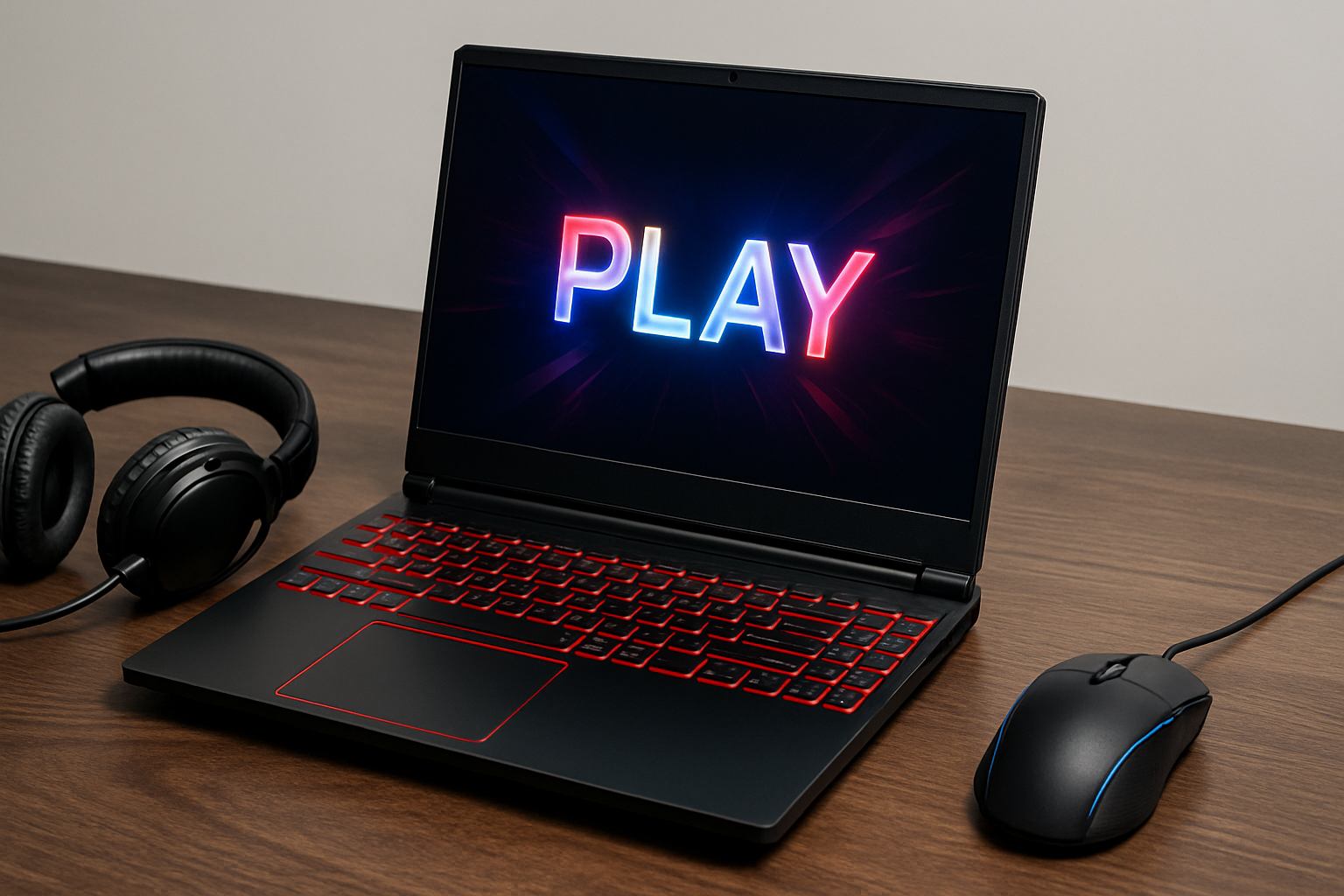



Best Budget Gaming Laptops in 2026 – discover 9 great-value gaming notebooks with RTX 40- and 50-series GPUs, 144Hz+ screens, and solid thermals that won’t wreck your wallet before the next big RAM price hikes hit.
Why Budget Gaming Laptops Matter So Much in 2026
The Best Budget Gaming Laptops in 2026 sit in a weird moment. GPUs are more efficient than ever, but memory prices are climbing thanks to AI demand. Major brands like Dell, Lenovo, and HP are already warning about 15–20% price hikes heading into 2026 because DRAM now eats a much larger chunk of each laptop’s cost. Tom’s Guide
At the same time, deals sites still show Lenovo LOQ, Dell G15, and similar machines dropping well under $1000 during sales. GamesRadar+ So there are bargains—but you have to know what “budget” realistically means now and which corners you can safely cut.
What “budget” really means this year
In late 2025 moving into 2026, a practical breakdown looks like this:
- Entry budget: ≈ $650–$800
- Core budget sweet spot: ≈ $800–$1,000
- “Budget premium” ceiling: up to ≈ $1,100–$1,200 if performance is much better
Below ~$650 you’re usually stuck with older GPUs or integrated graphics that struggle with newer AAA titles. Between $800 and $1,000, you start seeing RTX 4050, RTX 4060, or even RTX 5050 GPUs with modern CPUs and 144Hz screens. ENEBA+3Tom’s Hardware+3TechRadar+3
How the RAM and GPU market affects prices
Because memory is so expensive now, vendors shave costs by:
- Shipping 8GB RAM in cheap configs (you should upgrade to 16GB ASAP)
- Using smaller 512GB SSDs instead of 1TB
- Cutting corners on display quality (dim brightness, slow response times)
This means two laptops with the same GPU can feel very different in real use. The rest of this guide focuses on machines where the overall package—GPU, CPU, display, cooling, and price—makes sense.
Key Specs to Look For in a 2026 Budget Gaming Laptop
CPU and GPU: sweet spots for 1080p and light 1440p
For budget gaming in 2026, aim for:
- GPU:
- Nvidia RTX 4050 / 4060 or RTX 5050 in cheaper machines ENEBA+3Tom’s Hardware+3TechRadar+3
- CPU:
- Intel Core i5/i7 13th–14th gen or AMD Ryzen 7000/8000 mobile chips
These combos can handle modern games at 1080p high settings with DLSS or similar upscaling. RTX 4060 and above also make light 1440p gaming viable (or 1080p high-refresh esports).
RAM, storage, and upgradeability
Given the RAM crunch, you want:
- 16GB DDR5 RAM as a minimum for modern games
- At least a 512GB SSD (1TB is nicer, but you can add another drive later)
- Two RAM slots and at least one extra M.2 SSD slot where possible for easy upgrading LaptopMedia+2Ultrabookreview.com+2
If a laptop ships with 8GB but has two accessible slots, it can still be a smart buy—as long as you budget for another stick of RAM soon.
Display, thermals, and battery life
For a good gaming experience:
- Refresh rate: 120Hz–144Hz or higher for smoother motion
- Panel type: IPS or better; avoid very dim 60Hz TN panels
- Response time: some cheap panels have bad ghosting (we’ll call that out) PCWorld
- Thermals: enough cooling to keep the GPU from throttling
Battery life is always limited on gaming laptops, but some models like the Acer Nitro 17 do better than expected in tests. Laptop Mag+2Computer Blog+2
Best Budget Gaming Laptops in 2026: Quick Comparison Table
Here’s a snapshot of 9 laptops that regularly show up in best-under-$1000 or budget gaming lists and deals.
| Model | Typical GPU | Why it’s good | Watch out for |
|---|---|---|---|
| MSI Katana 15 HX | RTX 5050 | Top budget pick under $1000 with fast i7 CPU and strong 1080p performance. Tom’s Hardware+1 | Display is only OK, build is basic. |
| Acer Nitro 17 | RTX 4050 / 4060 | Big 17.3″ 144Hz screen, good performance, decent battery for a big rig. Computer Blog+5VARGE+5LaptopMedia+5 | Bulky and heavy; some configs have dim screens. |
| Acer Nitro V | RTX 5050 | Recently seen at ~$579 with 165Hz screen, crazy value for 1080p gaming. TechRadar | Mostly plastic, limited future-proofing. |
| Lenovo LOQ 15 | RTX 5060 | Strong performance for ~$800, popular in “under $1000” lists. PCWorld+1 | Panel has serious ghosting and blur. PCWorld |
| HP Victus 15 | RTX 3050–4050 | Great budget gaming performance with 144Hz screens and good value. Reddit+3PCWorld+3VARGE+3 | Dim display, all-plastic, older CPUs on some configs. |
| HP Victus 16 | RTX 4050–4060 | Bigger screen, similar value, balanced performance for 2024–25 games. ExcelDisc | Larger chassis, battery life just “okay.” |
| ASUS TUF Gaming A15/F15 | RTX 4050 / 4060 | Rugged build, efficient cooling, often below $1000. Bottleneck Calculator | Can be loud; some base panels are mediocre. |
| Acer Predator Helios Neo 16 | RTX 4060 | Often called best gaming laptop under $1000; strong 1440p performance. ENEBA | Heavier, fans can ramp up under load. |
| Dell G15 / G16 (deals) | RTX 4060 | Frequently discounted in cheap-gaming-laptop roundups. GamesRadar++1 | Thicker design; check specific configs carefully. |
Acer Nitro Family – Big Screens, Big Value
Acer Nitro 17 – 17-inch powerhouse on a budget
The Acer Nitro 17 keeps showing up in reviews as a surprisingly powerful “semi-budget” machine. Configs with Ryzen 7 7840HS and RTX 4050 / 4060 GPUs deliver solid frame rates in modern titles without a crazy price tag. VARGE+1
Reviewers highlight:
- Large 17.3-inch 144Hz display for immersive gaming
- Good mid-range performance and quiet modes that still deliver playable FPS
- Decent battery life for a big gaming laptop
- Generous port selection and solid upgradability (two SODIMMs and dual M.2 slots) Computer Blog+3LaptopMedia+3Ultrabookreview.com+3
Downsides:
- It’s big and heavy, so not ideal if you commute
- Some trims have fairly dim screens, so check brightness numbers before buying VARGE
If you mostly play at home and want a desktop-like experience at a budget price, Nitro 17 is one of the strongest choices among the Best Budget Gaming Laptops in 2026.
Acer Nitro V – ultra-cheap RTX 5050 pick
The Acer Nitro V has recently shown up at $579 in US deals, pairing an Intel Core i5-13420H, RTX 5050, 16GB RAM, and a 165Hz 1080p panel. TechRadar
That spec sheet is wild for the money:
- The RTX 5050 handles 1080p high in most games with upscaling
- 16GB RAM means you’re not forced to upgrade immediately
- 165Hz screen keeps esports titles like Valorant or CS2 very smooth
It’s clearly built to a price—expect a plastic chassis and middling speakers—but if you’re on a tight budget and catch it on sale, Nitro V is one of the best value options on the market right now.
Lenovo LOQ 15 – fast hardware, flawed display
The Lenovo LOQ 15 is a classic “almost perfect” budget laptop:
- Reviewers like its respectable performance for around $800, especially in RTX 5060 configurations. PCWorld+1
- It often appears in “best gaming laptops under $1000” lists because it combines discrete graphics with a low price. PCWorld
The catch is the panel. PCWorld’s review notes serious ghosting and blurring in both games and regular desktop use, enough that they hesitate to recommend it unless you mostly use an external monitor. PCWorld
So who is the LOQ 15 for?
- Great if you’ll dock it to a monitor most of the time
- Great if you snag it at a deep discount and don’t play fast, competitive shooters
- Not ideal if you’re sensitive to motion blur or want a crisp built-in 144Hz panel
HP Victus 15/16 – balanced performance under pressure
HP’s Victus line has been a budget favorite for a few years, and 2024–25 models continue that trend.
Reviews describe the Victus 15 as a great budget gaming machine with a 144Hz 1080p display and solid performance for the price, even though it uses a plastic chassis and sometimes older 12th-gen Intel CPUs. PCWorld+1 User reports echo that it’s an excellent value for gaming and light content creation, with only minor complaints. Reddit
The Victus 16 brings:
- A larger screen
- Newer RTX 30/40-series GPUs
- Similar emphasis on value and performance ExcelDisc
Common pros:
- Good gaming performance for the cost
- 144Hz panels on many SKUs
- Plenty of CPU/GPU combinations depending on region
Common cons:
- Dim displays compared with pricier machines PCWorld+1
- Plastic build and average battery life
If you want an affordable machine from a big brand and don’t mind plugging in most of the time, Victus 15/16 are strong candidates.
ASUS TUF Gaming A15/F15 – durable budget brawlers
ASUS’s TUF Gaming A15 (AMD) and F15 (Intel) are often recommended as best budget gaming laptops because you can find RTX 4050 or 4060 variants for under $1000. Bottleneck Calculator
Highlights:
- Solid build quality with MIL-STD durability branding
- Efficient cooling systems that keep performance stable in longer sessions
- Plenty of ports and generally decent keyboards
Trade-offs:
- Some configurations ship with average IPS panels—fine for gaming, less ideal for color-critical work
- Fans can get loud under load
If you’re rough on your gear or prioritize thermals and stability over a flashy design, TUF A15/F15 deserve a hard look.
MSI Katana 15 HX – best budget RTX 5050 all-rounder
Tom’s Hardware calls the MSI Katana 15 HX the best budget gaming laptop because it pairs an Intel Core i7-14650HX with an RTX 5050 GPU for around $999. Tom’s Hardware A separate deals piece highlights even more powerful RTX 5070 Katana variants at aggressive sale prices, underscoring how aggressively MSI prices this line. Tom’s Guide
Why it’s compelling:
- CPU is fast enough to avoid bottlenecking the GPU
- RTX 5050 delivers strong 1080p performance with DLSS
- Decent 144Hz 1080p panel for esports and AAA alike
Cons:
- Display brightness and color are only okay
- Chassis design is plain and a bit chunky
For many people, this is the default recommendation: modern GPU, strong CPU, under $1000 when on sale.
Acer Predator Helios Neo 16 – “budget premium” under $1000
If your budget can stretch to the top of the “budget” envelope, the Acer Predator Helios Neo 16 is regularly called the best gaming laptop under $1000 thanks to an RTX 4060, 16GB RAM, and a sharp 16-inch 2560×1600 display at high refresh. ENEBA
You get:
- High-end 1440p performance for newer games
- Enough power for content creation (video editing, 3D)
- A nicer screen than most cheaper 1080p panels
It’s heavier than ultrabooks and the fans work hard in demanding titles, but if you want something that feels close to premium while technically staying in “budget,” the Helios Neo 16 is extremely easy to recommend.
How to Choose Among the Best Budget Gaming Laptops in 2026
Decide your priorities: FPS, portability, or future-proofing
Use this quick guide:
- Max FPS per dollar (1080p):
- MSI Katana 15 HX, Acer Nitro V, Lenovo LOQ 15, HP Victus 15
- Big, immersive screen for home use:
- Acer Nitro 17, HP Victus 16
- Better screen & 1440p potential:
- Acer Predator Helios Neo 16
- Rugged build and cooling:
- ASUS TUF Gaming A15/F15
If you mainly play competitive esports titles, prioritise high refresh rates and a decent GPU (RTX 4050/5050+) over fancy resolution.
When to save… and when to spend a little more
Save money on:
- RGB extras and per-key lighting
- Slight CPU bumps (i7 vs i5) when the GPU is the same
- Minor SSD size differences (512GB vs 1TB) if you’re comfortable upgrading later
Spend extra on:
- Better screen quality (brightness + response times)
- More VRAM (RTX 4050 vs RTX 3050, for example)
- At least 16GB RAM now that games are heavier
A cheap laptop with a blurry 60Hz panel will feel worse than a slightly more expensive machine with a good 144Hz screen, even if the GPU is similar.
2026 buying tips: timing the market
With DRAM prices rising, several manufacturers have warned of price increases into 2026, and some are already rolling them out. Tom’s Guide At the same time, deal roundups still show deep discounts on budget models during holiday sales, back-to-school periods, and major shopping events. GamesRadar++2TechRadar+2
Practical approach:
- Track 2–3 models you like
- Watch price history on major retailers
- Strike when a configuration with RTX 4050/5050 or better + 16GB RAM + 144Hz screen dips into your budget
For more examples of what “good value” specs look like at different price points, you can skim independent buying guides such as:
https://www.tomshardware.com/best-picks/best-gaming-laptops-under-1000
FAQs About Budget Gaming Laptops in 2026
1. What specs should I target for a budget gaming laptop in 2026?
Aim for:
- GPU: RTX 4050 / 4060 / 5050 or similar
- CPU: recent Intel i5/i7 (13th–14th gen) or Ryzen 7 7000/8000
- RAM: 16GB DDR5
- Storage: 512GB–1TB SSD
- Display: 1080p 120–144Hz or better
That combo will handle new games at 1080p high for years with some settings tuning.
2. Is it okay to buy a gaming laptop with only 8GB of RAM?
It’s not ideal, but it can be okay if:
- The laptop has two RAM slots and easy access
- You plan to upgrade to 16GB soon
Because of rising memory prices, some cheaper models cut RAM, but 8GB will bottleneck modern titles and background apps.
3. Should I worry about the display on cheaper gaming laptops?
Yes. Some “great spec” laptops cut corners with dim, slow panels. The Lenovo LOQ 15, for example, has strong performance but visible ghosting that hurts both gaming and desktop use. PCWorld+2PCWorld+2
Always check:
- Refresh rate (120/144Hz minimum)
- Brightness (ideally 300 nits+)
- User reviews mentioning ghosting or blur
4. Can a budget gaming laptop handle 1440p gaming?
Yes, but it depends on the GPU. RTX 4060 and above (or very well-tuned RTX 5050/5070 configs) can run many games at 1440p medium/high with DLSS or similar tech. ENEBA+1
If you plan to game mostly at 1440p, try to stretch for models like the Acer Predator Helios Neo 16 or RTX 4060 versions of Nitro/ Victus.
5. Is it better to build a desktop instead of buying a budget gaming laptop?
Performance per dollar is usually better on a custom desktop, but with memory prices rising and pre-built vendors optimizing their BOMs, cheap gaming laptops and pre-builts can sometimes be more cost-effective than DIY. Tom’s Guide
If you need portability for school or work, a laptop is the obvious choice; if not, a desktop can still win in raw power.
6. How long will a budget gaming laptop stay “good enough”?
With an RTX 4050/4060/5050 and 16GB RAM, expect:
- 3–4 years of solid 1080p gaming with gradually lower settings over time
- Longer life if you mainly play esports titles or older AAA games
Upgrading RAM and SSD later can extend that lifespan.
7. Are refurbished or last-gen models worth it in 2026?
Absolutely, as long as:
- The GPU is at least RTX 3060 or newer
- Price is significantly lower than new RTX 4050/5050 machines
- You get a warranty
Sometimes a discounted last-gen RTX 3060 laptop with a good screen beats a new low-tier GPU with a bad display.
Final Thoughts: Locking In Great Gaming Performance on a Tight Budget
The Best Budget Gaming Laptops in 2026 balance three things: GPU horsepower, screen quality, and total cost in a world where memory isn’t cheap anymore.
If you:
- Prioritize an RTX 4050/4060/5050-class GPU,
- Insist on a 120–144Hz panel without awful ghosting, and
- Make sure there’s a clear path to 16GB RAM and a bigger SSD later,
…you’ll end up with a machine that plays today’s games well and still feels capable a few years from now.
Whether you land on an Acer Nitro, MSI Katana, HP Victus, ASUS TUF, or a Helios Neo, the goal is the same: smooth 1080p gaming without spending more than you need to.
All Rights Reserved © 2026