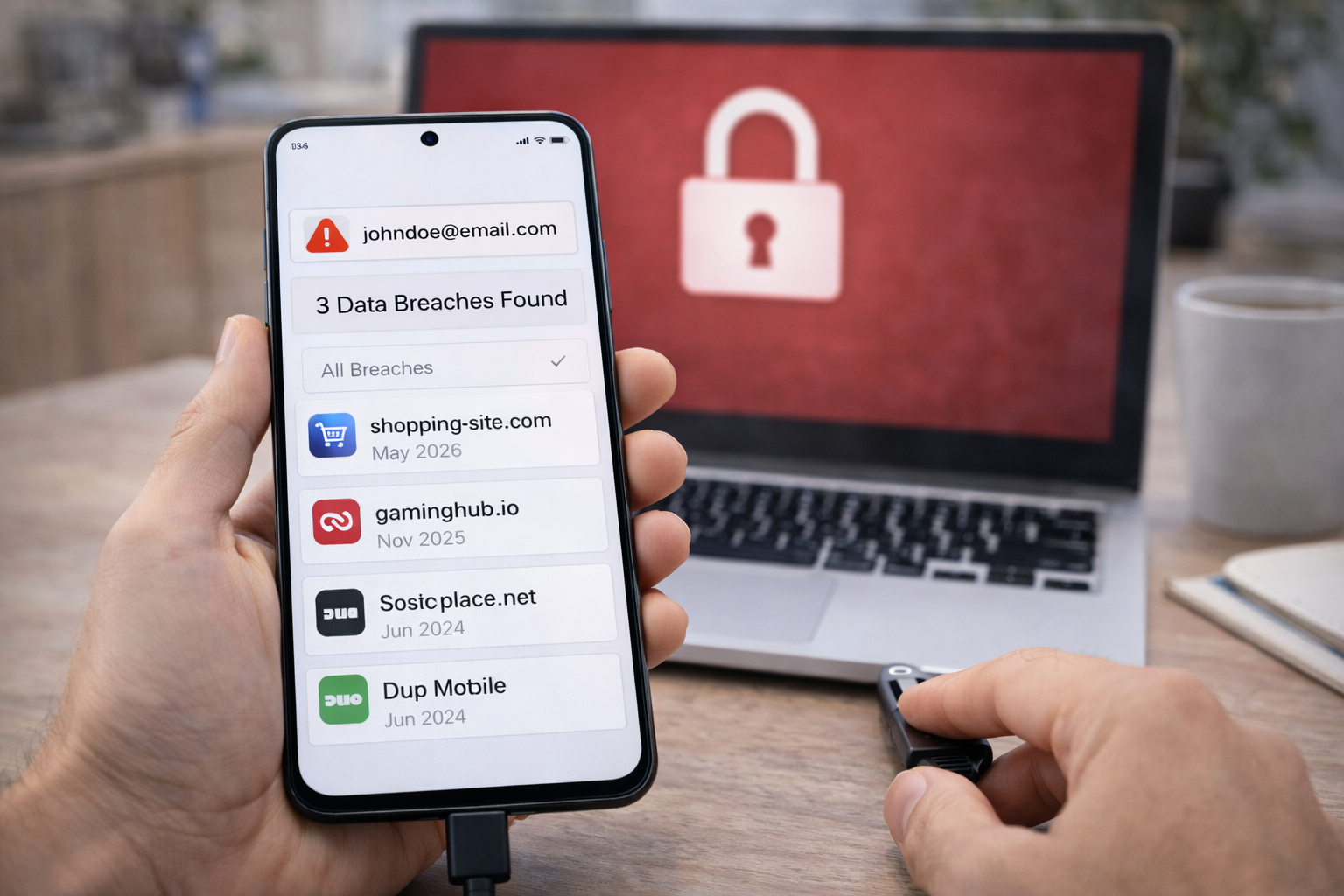



Wondering how to check if your email was hacked? Follow this step-by-step guide to spot signs of compromise and secure your account fast.
Email Is the First Account Attackers Go After
If attackers gain access to one account, they usually want it to be your email.
That’s because email controls:
- Password resets
- Account verification
- Financial alerts
- Identity recovery
So when people search how to check if my email was hacked, they’re usually reacting to a real warning sign—sometimes subtle, sometimes urgent.
This guide walks you through:
- Clear signs your email may be compromised
- Step-by-step checks you can do right now
- What to do immediately if something looks wrong
- How to prevent it from happening again
No technical knowledge required.
Step 1: Look for Obvious Warning Signs
Start with the simplest checks.
Your email may be compromised if you notice:
- Password reset emails you didn’t request
- Login alerts from unfamiliar locations
- Emails sent from your account that you didn’t write
- Replies to messages you never sent
- Being locked out of your own account
Even one of these is enough to take action.
Step 2: Check Recent Login Activity
Most major email providers show recent account activity.
Log into your email and look for:
- Login history
- Active sessions
- Devices connected to your account
Pay attention to:
- Countries or cities you don’t recognize
- Logins at unusual times
- Devices you don’t own
If something doesn’t make sense, assume compromise until proven otherwise.
Step 3: Check for Security Setting Changes
Attackers often make quiet changes to maintain access.
Check whether:
- Recovery email addresses were changed
- Phone numbers were added or removed
- Email forwarding rules were created
- Filters were added to hide security emails
Hidden forwarding rules are a major red flag.
Step 4: Search Your Inbox for Missed Alerts
Use your inbox search.
Look for:
- “Security alert”
- “New sign-in”
- “Password changed”
- “Recovery email updated”
Sometimes warnings arrive—but get ignored or buried.
Step 5: Check If Your Email Appeared in a Data Breach
This is one of the fastest ways to confirm exposure.
Use a reputable breach-checking service like Have I Been Pwned.
What this tells you:
- If your email appeared in known data breaches
- Which services were affected
- When the breach occurred
Important:
A breach does not automatically mean your email account itself was hacked—but it does mean your credentials may be circulating.
Step 6: Check Account Access From Other Services
If your email is compromised, attackers often move laterally.
Check:
- Banking accounts
- Social media
- Shopping sites
- Cloud storage
- Work accounts
Look for:
- Password reset attempts
- New logins
- Changed settings
Your email is the gateway—other accounts are the prize.
Step 7: Run a Quick Malware Scan (If Needed)
If:
- You clicked suspicious links
- Downloaded unknown files
- Logged in from public or shared computers
Run a malware scan on:
- Your phone
- Your computer
Keyloggers and spyware can silently steal credentials even after password changes.
What to Do Immediately If Your Email Was Hacked
If any step confirms compromise, act in this order.
1. Secure the Email Account First
- Change your email password immediately
- Use a strong, unique password
- Log out of all active sessions
Do this before touching other accounts.
2. Enable Strong Two-Factor Authentication
Turn on:
- Authenticator-app-based 2FA (not SMS if possible)
This blocks most takeover attempts—even with a stolen password.
3. Remove Unknown Recovery Options
Delete:
- Unknown recovery emails
- Unknown phone numbers
- Suspicious forwarding rules
Attackers often leave backdoors.
4. Change Passwords on Critical Accounts
Prioritize:
- Financial services
- Apple / Google / Microsoft accounts
- Cloud storage
- Social platforms
Anywhere that uses your email for recovery must be secured.
5. Monitor for Ongoing Activity
For the next few weeks:
- Watch login alerts
- Check sent mail regularly
- Review security notifications
Most attackers move on once access is blocked—but vigilance matters.
Why Email Compromises Are So Common
Email hacks usually happen because of:
- Reused passwords
- Phishing emails
- Weak or missing 2FA
- Old breaches resurfacing
They’re rarely personal—and that’s why they’re dangerous.
How to Prevent Email Hacks Going Forward
If you want to avoid repeating this situation:
- Use a unique password for email
- Enable app-based 2FA
- Review account activity monthly
- Keep recovery options up to date
- Treat email as your most sensitive account
Email security is the foundation of digital security.
Common Myths About Email Hacks
“If I didn’t click anything, I’m safe.”
False. Old breaches still cause new compromises.
“Hackers target important people.”
False. Most attacks are automated.
“Changing the password once is enough.”
False. Settings and recovery options must be checked.
FAQs: How to Check If My Email Was Hacked
1. Can someone hack my email without me knowing?
Yes—especially if alerts are hidden.
2. Does a data breach mean my email is hacked?
Not always, but it increases risk.
3. Should I delete my email account if it’s hacked?
Usually no—securing it is enough.
4. Is SMS 2FA good enough?
Better than nothing, but app-based 2FA is stronger.
5. How long does it take to recover a hacked email?
Minutes to hours if you act quickly.
6. Can hackers regain access after I change my password?
Yes—if recovery options or malware aren’t addressed.
Conclusion: Email Security Is Not Optional Anymore
If you’re asking how to check if my email was hacked, you’re already doing the right thing.
Email compromises are common—but they’re manageable if caught early.
The key is:
- Acting quickly
- Securing email first
- Locking down recovery paths
- Treating email as the core of your digital life
Once email is protected, everything else becomes easier to secure.
Check if your email appears in known breaches: Have I Been Pwned
All Rights Reserved © 2026