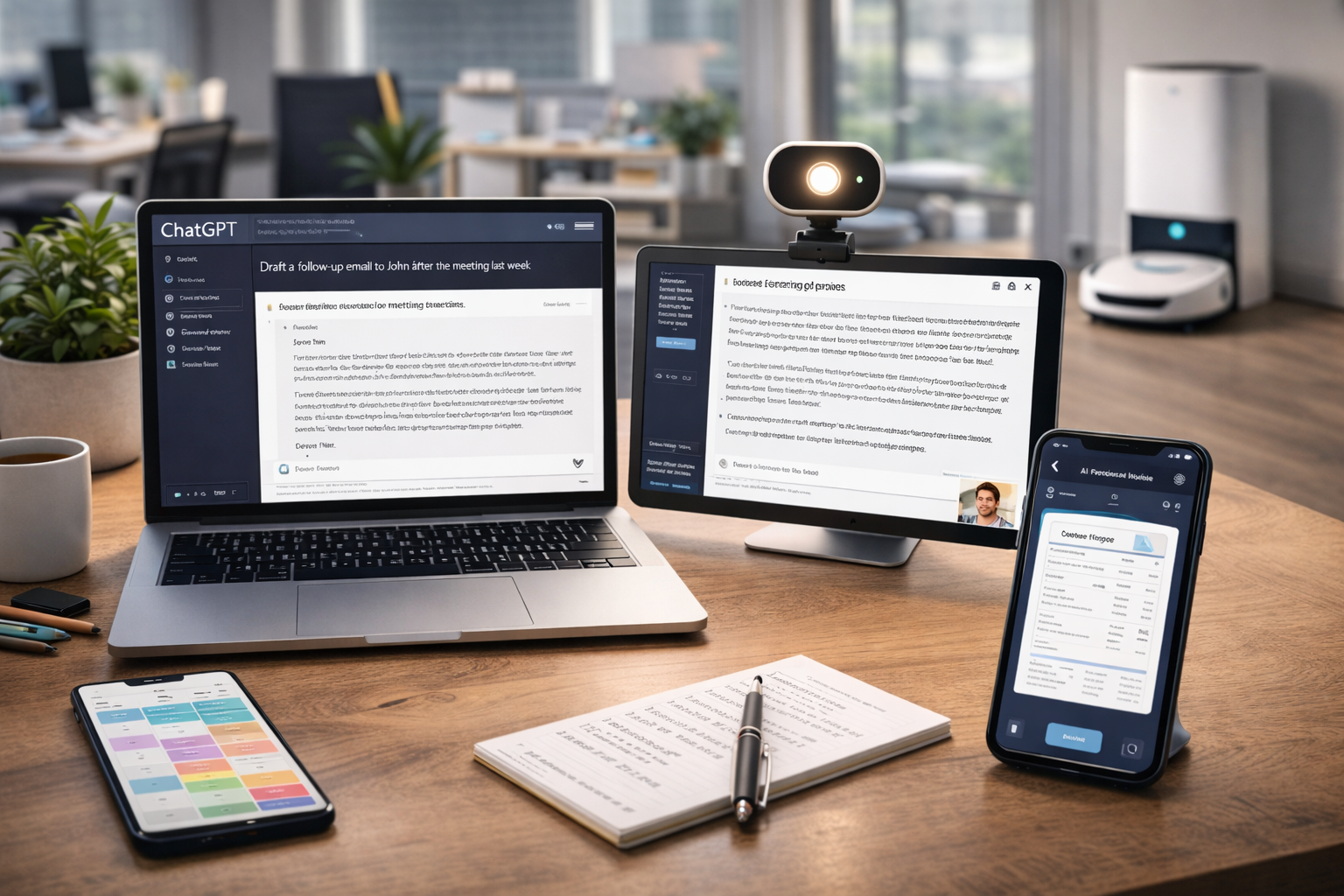



Discover AI Tools That Save Time (But Aren’t Overhyped)—a brutally honest, real-world guide to AI tools professionals actually use in 2026 to work faster, think clearer, and reduce busywork without gimmicks.
AI tools are everywhere in 2026—and most of them are noise.
For every tool that genuinely saves time, there are ten that:
- Add friction
- Require constant tweaking
- Promise “10x productivity”
- End up abandoned after a week
This guide is different.
AI Tools That Save Time (But Aren’t Overhyped) focuses on tools that:
- Solve specific problems
- Fit naturally into real workflows
- Reduce mental load, not increase it
- Are already used daily by professionals
No hype. No futuristic fantasy. Just quietly effective AI.
🧨 Why Most AI Tools Feel Overhyped
The problem isn’t AI.
The problem is marketing.
Most AI tools fail because they:
- Try to replace humans instead of supporting them
- Add another dashboard to manage
- Require perfect prompts to work well
- Solve problems users didn’t actually have
Time-saving AI must reduce cognitive effort, not shift it elsewhere.
⏱️ What “Time-Saving AI” Actually Means
A tool saves time if it:
- Removes repetitive work
- Compresses thinking steps
- Reduces decision fatigue
- Eliminates context switching
It does not save time if:
- You must constantly correct it
- You don’t trust its output
- You need training to use it
The best AI tools feel boringly useful.
- Khan Academy — AI Study Assistant
- OpenAI — Study & Research Tools
- Duolingo AI Learning Tools
- Quizlet — AI Flashcards & Recall Tools
- Microsoft Copilot for Students
- Notion AI — Study Notes & Summaries
- PCMag — Best AI Tools
✍️ AI for Writing & Communication (Where AI Actually Shines)
🧠 OpenAI ChatGPT
ChatGPT remains one of the most reliably useful AI tools—not because it’s flashy, but because it reduces thinking friction.
What it’s genuinely good at:
- Drafting emails and messages
- Summarizing documents
- Clarifying ideas
- Rewriting content for tone or clarity
Where it saves time:
- Starting tasks (blank page problem)
- Editing and refinement
- Turning notes into usable text
It doesn’t replace thinking—it accelerates it.
✉️ Grammarly
Grammarly isn’t new—but its AI enhancements quietly save time every day.
Real benefits:
- Fewer rereads
- Faster proofreading
- Clearer communication
It’s effective because it works in the background.
🗓️ AI for Meetings & Knowledge Capture
Meetings are one of the biggest time drains at work.
🎙️ Otter.ai
Otter.ai is one of the clearest examples of non-overhyped AI.
What it does well:
- Transcribes meetings automatically
- Highlights key points
- Creates searchable meeting archives
Why it saves time:
- No manual notes
- Faster follow-ups
- Better memory recall
It removes a task entirely instead of “optimizing” it.
🧾 Fireflies.ai
Fireflies focuses on meeting intelligence, not just transcripts.
Useful features:
- Action item detection
- Topic summaries
- CRM integration
Great for teams drowning in calls.
🔍 AI for Research & Thinking (Underrated Use Case)
📄 Perplexity AI
Perplexity sits between ChatGPT and Google—and does one thing well: fast, sourced answers.
Why it’s not overhyped:
- Clear citations
- Minimal fluff
- Strong for factual queries
It saves time by reducing tab overload.
🧠 Notion AI
Notion AI isn’t revolutionary—but it’s practical.
What it’s good for:
- Summarizing notes
- Turning rough ideas into structure
- Cleaning up internal docs
Because it works inside your notes, it avoids tool-switching fatigue.
💻 AI for Coding & Technical Work
👨💻 GitHub Copilot
GitHub Copilot is a prime example of AI done right.
Why developers trust it:
- Predicts code contextually
- Speeds up boilerplate
- Reduces syntax lookup
It doesn’t replace developers—it removes interruptions.
🐞 Sentry + AI
Error-tracking tools using AI to:
- Group similar bugs
- Suggest root causes
This saves hours of debugging time—not seconds.
🎨 AI for Design & Creative Support (Without the Hype)
🖼️ Canva AI
Canva’s AI features succeed because:
- They’re optional
- They support non-designers
- They don’t overpromise
Time saved:
- Faster layouts
- Quick content variations
🎧 Adobe AI (Firefly tools)
Adobe’s AI works because it’s embedded into professional tools—not separate products.
Best for:
- Removing repetitive edits
- Speeding up workflows professionals already trust
🏢 AI for Business & Operations
📊 Zapier + AI
Zapier quietly saves time by:
- Automating boring workflows
- Connecting tools you already use
AI adds:
- Easier setup
- Smarter triggers
This is compound time savings.
📁 Airtable AI
AI inside structured data tools helps:
- Generate summaries
- Identify patterns
- Reduce manual reporting
🧘 AI for Personal Productivity (Surprisingly Effective)
🗂️ Todoist AI
AI helps by:
- Breaking tasks down
- Prioritizing realistically
- Reducing overwhelm
Simple—but impactful.
🧠 Reclaim.ai
Automatically protects focus time.
This is AI doing something humans won’t do consistently themselves.
❌ AI Tools That Don’t Save Time (Common Traps)
Avoid tools that:
- Require constant prompt engineering
- Replace simple actions with complex workflows
- Promise full automation of judgment-based tasks
If a tool needs a tutorial to save time—it probably doesn’t.
🧪 How to Evaluate AI Tools Realistically
Ask these questions:
- Does this remove a task—or add one?
- Does it reduce thinking—or relocate it?
- Would I miss it if it disappeared tomorrow?
If the answer to #3 is “no,” skip it.
🔮 The Future of Practical AI
The next generation of AI tools will:
- Be invisible
- Be embedded
- Be optional
The winners won’t shout—they’ll blend in.
❓ FAQs
Are AI tools worth paying for?
Yes—if they save hours, not minutes.
Can free AI tools be enough?
Often yes. Paid tools shine at scale.
Is AI making people less skilled?
Only if used passively.
How many AI tools should one use?
Few. Depth beats quantity.
🏁 Interim Conclusion
The truth about AI Tools That Save Time (But Aren’t Overhyped) is simple:
The best AI tools don’t feel revolutionary.
They feel obvious—once you start using them.
They don’t replace your work.
They remove friction around it.
🏭 Industry-by-Industry: AI Tools That Actually Save Time
Most AI articles fail because they talk about tools in isolation.
In reality, usefulness depends on context.
Let’s break down which AI tools genuinely save time—by industry.
📣 Marketing & Content Teams (Where AI Quietly Pays Off)
The Real Time Drain
- Drafting variations
- Rewriting for tone and audience
- SEO formatting
- Repurposing content
AI Stack That Works (Not Flashy)
- OpenAI ChatGPT – outlines, rewrites, clarity
- Grammarly – cleanup, tone control
- Canva AI – fast visuals
Why This Stack Saves Time
- No new workflow to learn
- Tools slot into existing tasks
- Human judgment stays central
Net effect:
Marketers report saving 6–10 hours per week, mostly from starting and editing faster—not from publishing more content.
👨💻 Software & Engineering Teams (Where AI Must Be Invisible)
The Real Time Drain
- Boilerplate code
- Context switching
- Debugging repetitive errors
- Writing documentation
AI Stack That Works
- GitHub Copilot – inline suggestions
- ChatGPT – explanation, refactoring
- Sentry AI – error grouping
Why This Stack Works
- No new interface
- Minimal interruption
- AI responds inside the flow
Developers consistently say Copilot doesn’t make them “faster typists”—it makes them less interrupted thinkers.
📊 AI Tools That Save Time: Business, Ops & Management (The Silent Time Sink)
The Real Time Drain
- Meetings
- Status updates
- Process documentation
- Follow-ups
AI Stack That Works
- Otter.ai – meeting capture
- Fireflies.ai – action items
- Notion AI – SOPs & summaries
Why It’s Not Overhyped
These tools don’t “optimize” meetings—they reduce their aftershock.
Executives report:
- Fewer clarification emails
- Better accountability
- Less re-meeting
That’s compound time savings.
🎓 AI Tools That Save Time – Education, Training & Knowledge Work
The Real Time Drain
- Lesson prep
- Explaining the same concept repeatedly
- Creating assessments
- Summarizing content
AI Stack That Works
- ChatGPT – explanations at different levels
- Perplexity AI – sourced answers
- Notion AI – curriculum structure
Why It Works
AI becomes a first-draft teacher’s assistant, not a replacement.
Educators save time on:
- Preparation
- Differentiation
- Repetition
But still deliver the insight and empathy only humans can.
🧑💼 AI Tools That Save Time: Freelancers & Solopreneurs (Maximum ROI)
Freelancers feel AI impact the fastest, because time = money.
Best Time-Saving Stack
- ChatGPT – proposals, drafts, ideation
- Grammarly – client-facing polish
- Zapier – admin automation
Why AI Helps More Here
- Fewer internal processes
- Faster feedback loops
- Immediate payoff
For freelancers, AI doesn’t save minutes—it creates billable capacity.
🧠 AI Tools That Save Time: Solo vs Team AI Workflows (Critical Difference)
Solo Workers
AI works best as:
- A thinking partner
- A drafting assistant
- A planning aid
Minimal coordination. High autonomy.
Teams
AI must:
- Be standardized
- Be transparent
- Avoid “shadow workflows”
The best teams:
- Share how they use AI
- Set boundaries (what AI is NOT used for)
- Treat AI output as draft, not decision
📉 AI Tools That Save Time The ROI Math: Does AI Really Save Time?
Let’s get concrete.
Conservative Example
- Saves 30 minutes/day
- 5 days/week
- 48 weeks/year
That’s 120 hours/year.
At $50/hour, that’s $6,000/year in recovered time.
Most good AI tools cost:
- $10–30/month
The math only fails if:
- You don’t use the tool
- You don’t trust the output
- You forget it exists
🧠 AI Tools That Save Time: AI Fatigue: Why People Quit Tools That “Work”
A surprising number of users abandon AI tools—not because they’re bad, but because:
- They try too many at once
- They expect magic
- They don’t integrate habits
How to Avoid AI Fatigue
- Use 1–3 tools max
- Tie each tool to a specific task
- Review value monthly
If a tool doesn’t disappoint you when it’s gone, it’s not saving time.
🧭 AI Tools That Save Time: A No-BS Framework for Choosing AI Tools
Before adopting any AI tool, ask:
1. What task does this remove entirely?
Optimization ≠ elimination.
2. Does it live where I already work?
If not, friction increases.
3. Can I trust it 80% of the time?
100% isn’t required. Consistency is.
4. Would I recommend this quietly to a colleague?
If yes—it’s probably legit.
🚫 AI Tools That Sound Good but Waste Time
Be cautious of tools that:
- Promise “autonomous agents” without supervision
- Require constant prompt tuning
- Replace simple checklists with complex dashboards
- Market themselves as “thinking for you”
Thinking is not the bottleneck.
Friction is.
🔮 AI Tools That Save Time: The Future of Non-Overhyped AI (2026–2030)
The next wave of useful AI will:
- Be embedded, not branded
- Feel optional, not mandatory
- Respect human judgment
The most valuable AI tools of 2030 will likely:
- Not call themselves “AI tools” at all
They’ll just feel like… good software.
🧠 AI Tools That Save Time The Quiet Truth About AI & Time
The biggest misconception about AI is that it:
“Makes people faster.”
The real benefit is that it:
Makes starting easier, thinking clearer, and finishing lighter.
That’s where time is truly saved.
❓ AI Tools That Save Time: Final FAQs (Expanded)
Do I need AI to stay competitive?
Not everywhere—but in knowledge work, it’s becoming a baseline advantage.
Is paid AI worth it over free tools?
If it saves hours consistently, yes.
Should companies mandate AI use?
No. Encourage—but don’t force.
Is AI replacing junior roles?
It’s changing them—not eliminating them.
What’s the biggest AI mistake?
Using it instead of thinking, not with thinking.
🏁 AI Tools That Save Time: Final Conclusion (Full Synthesis)
The truth about AI Tools That Save Time (But Aren’t Overhyped) is refreshingly simple:
The best AI tools don’t promise transformation.
They quietly remove friction.
They don’t:
- Replace expertise
- Eliminate judgment
- Automate meaning
They:
- Reduce repetition
- Clarify thinking
- Give time back
In 2026, the smartest professionals aren’t chasing every new AI launch.
They’re asking one grounded question:
“Does this make my workday lighter—or louder?”
Choose the quiet tools.
All Rights Reserved © 2026