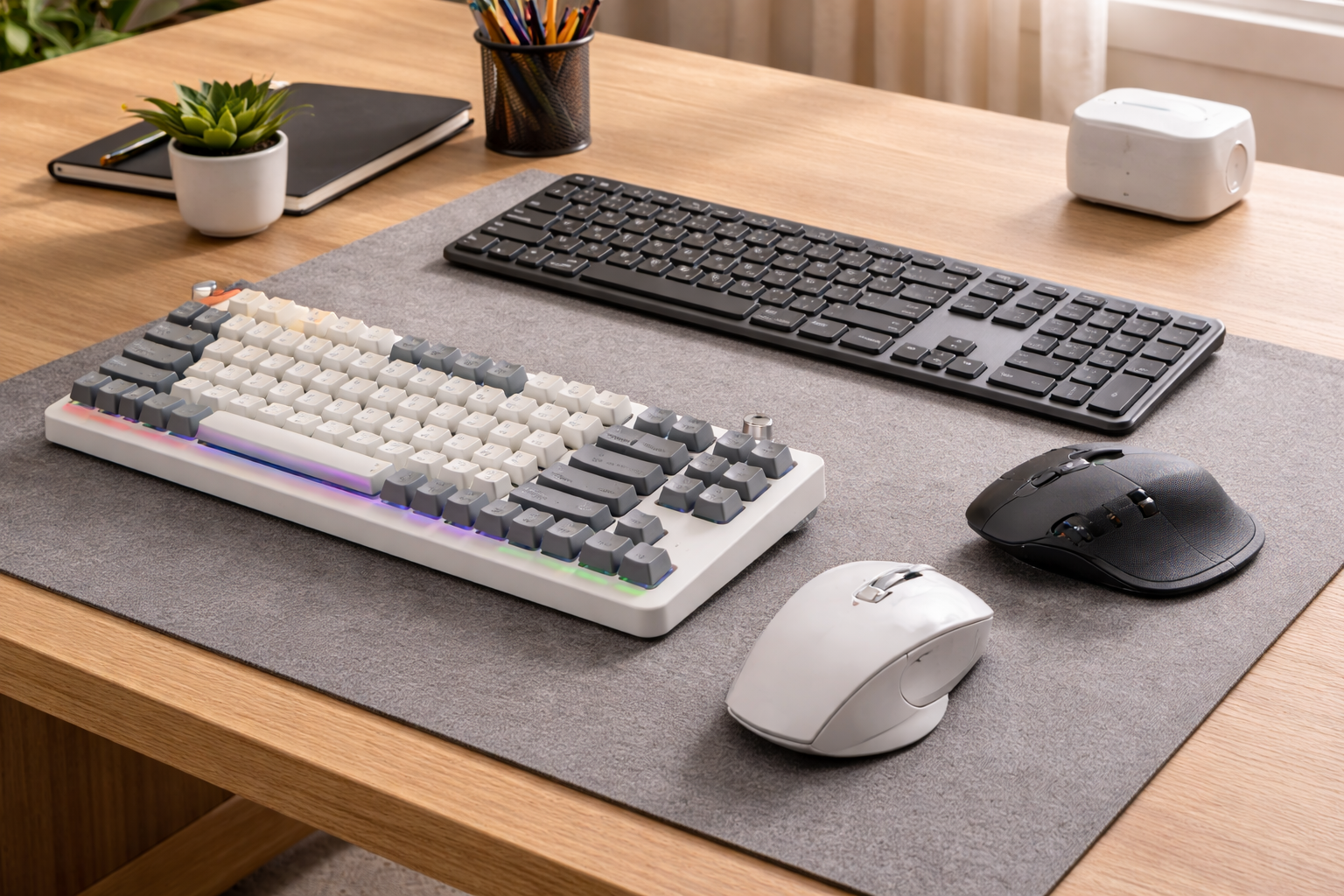



Best Keyboards & Mice for Productivity in 2026 — a deep, practical guide to the best productivity keyboards and mice (budget to premium), including ergonomic options, mechanical favorites, multi-device workflows, shortcuts, and setup tips that make work feel easier.
What “Productivity” Peripherals Mean in 2026
In 2026, “productivity” isn’t a buzzword. It’s the feeling that your tools get out of the way. A truly productive keyboard and mouse help you:
- Type comfortably for long stretches
- Navigate documents and timelines faster
- Reduce small annoyances (lag, bad Bluetooth, mushy keys)
- Make fewer mistakes when you’re tired
The goal isn’t to buy the fanciest gear. It’s to remove friction so you can stay focused.
The 3 productivity pillars
- Comfort: neutral wrist angle, less strain, fewer aches
- Control: shortcuts, programmable buttons, fast scrolling
- Consistency: stable connections, reliable battery, predictable feel
When these three are solid, you’ll notice the difference in a week.
The hidden costs of cheap gear
A cheap keyboard and mouse can “work,” but they often cost you in other ways:
- Wrist pain after long days
- Mis-presses that slow you down
- Loud clicks that annoy you (and everyone on calls)
- Unstable wireless connections that break your flow
That’s why investing in the right combo can be one of the highest-ROI home office upgrades.
Quick Buying Framework
Keyboard choices that matter
Layout (size):
- Full-size (100%): best if you use a numpad constantly
- 96%: keeps a numpad but saves desk space (great compromise)
- 75%: compact but keeps arrow keys and function row (very popular)
- Split ergonomic: best for wrists/shoulders if you type all day
Switch type:
- Scissor / low-profile: quiet, easy, office-friendly
- Mechanical: customizable feel; can be quiet if you choose the right switches
- Ergonomic wave/split: reduces wrist deviation and can feel more natural
Connectivity:
- 2.4GHz dongle tends to be the most stable
- Bluetooth is convenient for laptops/tablets
- The best productivity boards do both and support multi-device switching
Mouse choices that matter
Shape:
- Traditional ergonomic (palm support)
- Vertical (handshake position) to reduce wrist pronation
- Trackball (hand stays still; finger/thumb controls cursor)
Scrolling:
- “Free-spin” scroll wheels are productivity gold for long documents
- Side wheels help with horizontal scrolling (Excel, timelines)
Multi-device:
If you use a laptop + desktop, multi-device switching saves time every single day.
Best Productivity Keyboards in 2026
Below are the standouts across the three big camps: low-profile office, ergonomic comfort, and mechanical power-user.
1) Best low-profile office keyboard: Logitech MX Keys S
If your workday is heavy on typing and switching between devices, MX Keys S is still a top-tier productivity pick. Reviews highlight its strong “office use” performance and comfortable, quiet keystrokes. RTINGS.com+1
Why it’s great
- Quiet typing that won’t destroy meetings
- Comfortable, stable key feel (easy to type fast with fewer errors)
- Multi-device switching for laptop + desktop life
Who it’s for
- Writers, analysts, managers, office generalists
- Anyone who wants “premium office keyboard” without going mechanical
Watch-outs
- If you want deep customization (layers, remaps), you may prefer QMK/VIA boards.
2) Best ergonomic keyboard for all-day typing: Logitech ERGO K860
If your wrists and shoulders are tired, an ergonomic board can feel like a cheat code. RTINGS recommends the ERGO K860 as a top ergonomic option, noting its comfortable wrist rest and shape that promotes a more neutral arm and wrist position. RTINGS.com+1
Why it’s great
- Comfortable palm rest and curved layout
- More natural posture for long sessions
- Great “set it and forget it” ergonomic option
Who it’s for
- People who type for hours (email + docs + writing + chat)
- Anyone trying to prevent repetitive strain issues
Watch-outs
- It’s not small; it needs desk space.
3) Best premium mechanical for work: Keychron Q Max series (Q5 Max as a standout)
Keychron’s Q Max line is popular because it blends “premium mechanical feel” with wireless convenience. RTINGS recommends the Keychron Q5 Max as the best Keychron keyboard, noting its premium build and near-full-size layout in a more compact footprint. RTINGS.com
Why it’s great
- Premium typing feel (great for long writing/coding blocks)
- Layouts like 96% keep productivity keys (including a numpad) without being huge
- QMK/VIA support on many models (powerful customization)
Who it’s for
- Power users who want shortcuts, layers, and consistent feel
- People who want one keyboard that can last years
Watch-outs
- Mechanical boards can be loud if you pick clicky switches. Choose silent/tactile options for office use.
4) Best slim mechanical “office luxury”: Lofree Flow 2
Lofree Flow 2 is a gorgeous slim mechanical keyboard and reviewers like the overall design and typing feel—but note a major drawback: a metallic sound issue on some units/configs. Tom’s Guide
Why it’s great
- Premium build aesthetic
- Mechanical feel in a slim profile
- Customization support (QMK/VIA mentioned in coverage) Tom’s Guide
Who it’s for
- People who want a stylish, premium desk setup
- Those who want mechanical feel without a tall “brick” keyboard
Watch-outs
- The sound/“ricochet” complaint is a real consideration. Tom’s Guide
5) A quick note on discontinued classics (Microsoft Sculpt)
The Microsoft Sculpt Ergonomic Keyboard has long been a favorite, but availability has become messy. Some sources discuss its discontinuation and recommend looking for modern alternatives rather than relying on secondhand units. Truly Ergonomic
If you loved Sculpt, treat it like a “used car purchase”: it might be fine, but you’re gambling on condition and support.
Best Productivity Mice in 2026
1) Best overall work mouse: Logitech MX Master 4
For many people, the MX Master series is the definition of productivity mice. RTINGS lists the Logitech MX Master 4 as its best mouse for work, highlighting the ergonomic shape and dual scroll wheels. RTINGS.com
Recent coverage of the MX Master 4 also mentions upgrades like haptic feedback and an “Action Ring” shortcut menu, plus USB-C and strong battery life. Tom’s Hardware
Why it’s great
- Fast vertical scrolling + horizontal side wheel (huge for spreadsheets)
- Comfortable shape for long days
- Customizable shortcuts (especially if you use creative apps)
Who it’s for
- Spreadsheet people, project managers, researchers, creators
- Anyone who lives in long documents and timelines
Watch-outs
- It’s heavier than many mice; if you want lightweight, look elsewhere.
2) Best ergonomic (vertical) mouse: Logitech Lift
If your wrist gets sore with normal mice, a vertical mouse can help by placing your hand in a more neutral “handshake” posture. RTINGS recommends the Logitech Lift as the best ergonomic mouse they’ve tested in its price tier. RTINGS.com+1
Why it’s great
- Comfortable for small-to-medium hands
- Good all-day ergonomics
- Easy transition from traditional mice (for most people)
Who it’s for
- People with wrist discomfort
- Anyone trying to prevent strain before it becomes a problem
Watch-outs
- Vertical mice can feel weird for the first 1–3 days. Give it a real trial.
3) Best “battery-free” innovation: HP Ultra-Fast Scroll 785M
HP’s Ultra-Fast Scroll Wireless Mouse 785M is notable because it uses a supercapacitor (a “battery-free” approach) and charges quickly, with long usage time per charge cycle. Tom’s Guide
Why it’s interesting
- Fast charging and less battery worry
- Built for rapid scrolling
- Multi-device support mentioned in coverage Tom’s Guide
Who it’s for
- People who hate charging routines
- Heavy scrollers who want something different from Logitech
4) Best alternative vertical options
If you want vertical comfort but different styling or pricing:
- Razer introduced the Pro Click V2 Vertical Edition, its first vertical mouse, built for ergonomics with a steep angle. The Verge
- For budget shoppers, the Seenda MOU-302 offers a vertical shape plus a volume knob and multi-device support at a much lower price point. The Verge
These are great if you want to try vertical without going all-in immediately.
5) Trackballs: the “hands stay still” productivity option
Trackballs are a niche, but for some people they’re the best solution:
- Your arm and wrist move less
- Great in tight spaces
- Can reduce repetitive strain for some users
Recent coverage highlights new high-end trackball updates like Elecom’s Huge Plus (tri-mode connectivity, big ball, programmable buttons) aimed at productivity professionals. Tom’s Hardware
Trackballs aren’t for everyone, but if you’re dealing with strain, they’re worth a serious look.
Best Keyboard + Mouse Combos for Common Work Styles
Here are practical pairings that cover most home office setups. Mix and match, but these combos are “safe bets.”
Combo A: The “office smoothness” setup
- Keyboard: Logitech MX Keys S RTINGS.com+1
- Mouse: Logitech MX Master 4 RTINGS.com+1
Best for: general productivity, management, research, switching devices
Why it works: quiet keys + powerful scrolling + shortcuts
Combo B: The “ergonomic rescue” setup
- Keyboard: Logitech ERGO K860 RTINGS.com+1
- Mouse: Logitech Lift vertical RTINGS.com+1
Best for: people with wrist/forearm discomfort
Why it works: neutral posture + less pronation
Combo C: The “power-user mechanical” setup
- Keyboard: Keychron Q5 Max (or similar Q Max) RTINGS.com
- Mouse: MX Master 4 (or your favorite ergonomic mouse) RTINGS.com
Best for: devs, writers, anyone who wants layers/macros
Why it works: strong customization + premium typing feel
Combo D: The “modern minimalist” setup
- Keyboard: Lofree Flow 2 (if you love slim mechanical style) Tom’s Guide
- Mouse: HP 785M (fast charging / scroll focus) Tom’s Guide
Best for: aesthetic desks + flexible work
Why it works: clean design + modern features
Ergonomics That Actually Matter
You don’t need a perfect ergonomic lab setup. You just need a few basics that reduce strain.
1) Neutral wrists beat everything
Aim for:
- Wrists not bent up/down
- Hands not twisted inward
- Shoulders relaxed (not creeping up)
If your desk is too high, you’ll shrug your shoulders and strain your neck. If it’s too low, you’ll slump.
2) Mouse grip and movement
Small changes help:
- Don’t “claw grip” a large mouse
- Use arm movement more than wrist movement
- Try a vertical mouse or trackball if you’re sore
3) Micro-breaks are a superpower
Every 30–60 minutes:
- 10 seconds: open and close fists
- 10 seconds: roll shoulders
- 10 seconds: look far away
It sounds silly. It works.
Productivity Features Worth Paying For
1) Multi-device switching
If you use:
- Work laptop + personal laptop
- Laptop + desktop
- Tablet + laptop
Multi-device peripherals are a daily time saver. It’s not glamorous, but it’s real.
2) App-based customization
Two worlds:
- Office ecosystems (Logitech Options+ style) for easy shortcuts and app profiles
- QMK/VIA mechanical keyboards for deep customization and layers
If you never customize anything, you might not need this. If you love shortcuts, it’s addictive.
3) Horizontal scrolling
If you touch spreadsheets even once a week, horizontal scrolling is a big deal. That’s why mice with side wheels remain productivity favorites. RTINGS.com
Quick Comparison Table
| Category | Best For | Keyboard Pick | Mouse Pick |
|---|---|---|---|
| Quiet office productivity | Meetings + typing | MX Keys S Tom’s Guide | MX Master 4 RTINGS.com |
| Ergonomic comfort | Wrist/forearm relief | ERGO K860 RTINGS.com | Logitech Lift RTINGS.com |
| Mechanical power-user | Shortcuts + feel | Keychron Q5 Max RTINGS.com | MX Master 4 RTINGS.com |
| Style + slim | Minimalist desks | Lofree Flow 2 Tom’s Guide | HP 785M Tom’s Guide |
| Vertical on a budget | Cheap ergonomics | (Any quiet keyboard) | Seenda MOU-302 The Verge |
FAQs About Productivity Keyboards and Mice in 2026
1) What’s the best “safe choice” set for most people?
A low-profile keyboard + premium productivity mouse is the safest combo. Many buyers land on Logitech MX Keys S + MX Master 4 because it’s comfortable, quiet, and efficient for most work. Tom’s Guide+2RTINGS.com+2
2) Is an ergonomic keyboard worth it if I don’t have pain?
Often, yes. Ergonomic keyboards like the ERGO K860 are designed to encourage a more neutral posture, which can help prevent issues from building up over time. RTINGS.com+1
3) Vertical mouse or trackball: which is better for wrist strain?
It depends:
- Vertical mouse: easiest transition; feels “normal” quickly for many
- Trackball: less movement; can be great if motion triggers discomfort
RTINGS explicitly recommends the Logitech Lift as a top ergonomic vertical option. RTINGS.com+1
4) Do mechanical keyboards help productivity, or is it just a hobby thing?
They can help, especially if:
- You type all day and want a consistent feel
- You want programmable layers and shortcuts
Keychron’s Q Max series is often recommended for premium wireless mechanical builds. RTINGS.com+1
5) Are slim mechanical keyboards good for office work?
Yes—if you choose quiet switches and the board doesn’t have annoying acoustics. Coverage of Lofree Flow 2 praises its design but flags sound-related drawbacks on some versions. Tom’s Guide
6) What’s more important: keyboard or mouse?
If you’re in spreadsheets and documents all day, the mouse can be the bigger speed upgrade (scrolling + shortcuts). If you write/coding-heavy, the keyboard often matters more. Ideally: upgrade whichever you touch more and whichever causes discomfort.
7) Where can I check updated test data and rankings?
RTINGS maintains updated “best” lists for both ergonomic keyboards and work mice, and they’re useful for comparing options.
https://www.rtings.com/mouse/reviews/best/work
https://www.rtings.com/keyboard/reviews/best/ergonomic
Final Thoughts
If you want the Best Keyboards & Mice for Productivity in 2026, the winning move is simple:
- Pick comfort first (your body has to live with it)
- Add workflow speed (scrolling, shortcuts, switching devices)
- Choose reliability (stable wireless + good battery habits)
Most people will be thrilled with a quiet office keyboard + a premium productivity mouse. If you’re dealing with wrist strain, go ergonomic sooner rather than later. And if you’re a power user, a programmable mechanical keyboard can feel like unlocking “expert mode” for your workday.
- Logitech Productivity Keyboards
- Logitech Productivity Mice
- Keychron Mechanical Keyboards
- Microsoft Ergonomic Accessories
- RTINGS Keyboard Reviews
All Rights Reserved © 2026