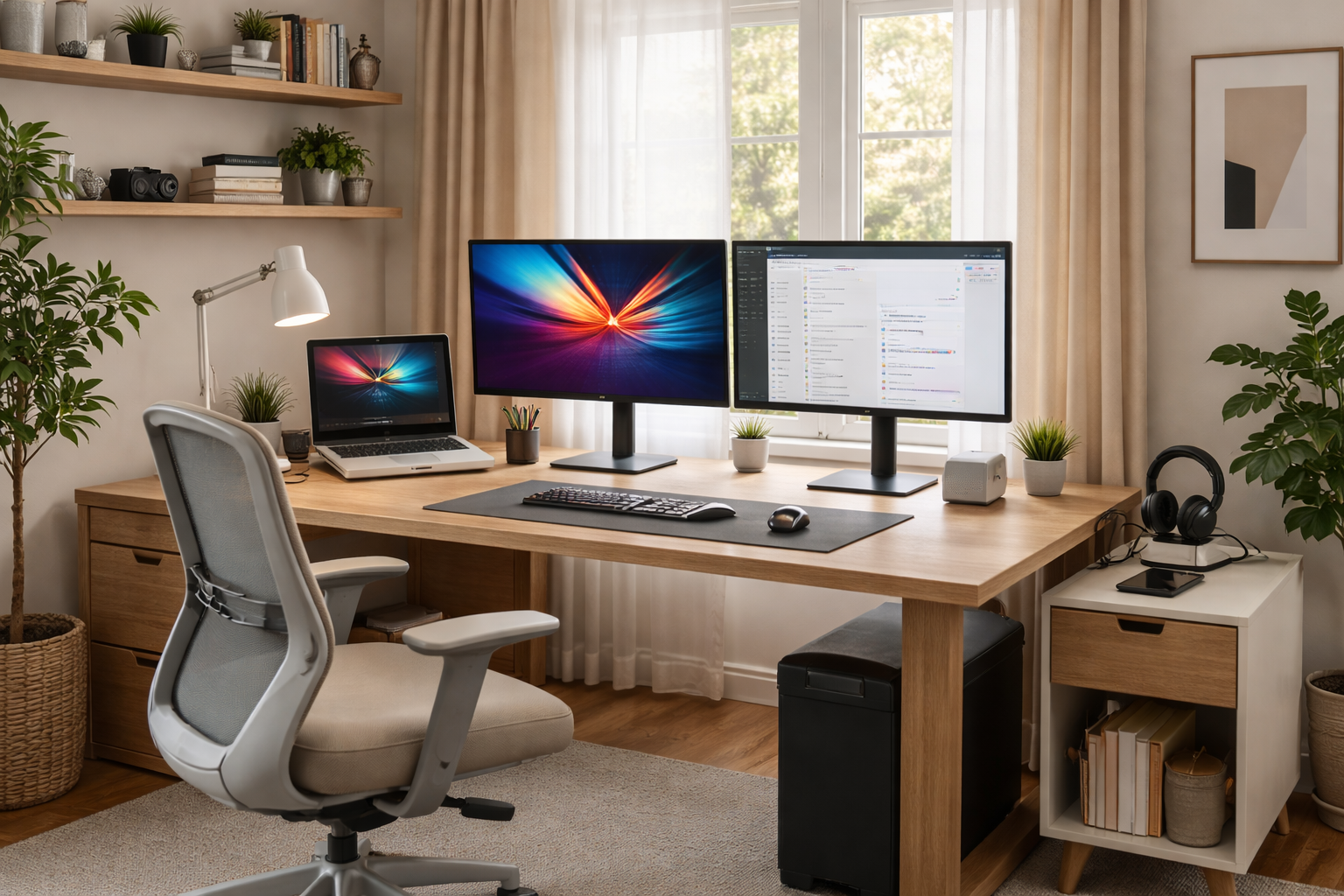



Best Desk & Chair Combos for Home Office in 2026 – discover the smartest budget and premium desk–chair pairings that improve posture, reduce fatigue, and create a home office you can actually work in all day.
Why Desk & Chair Pairing Matters More Than Ever
In 2026, a home office isn’t a temporary corner anymore—it’s where many people spend 6–10 hours a day. The problem? Buying a great chair or a great desk alone isn’t enough.
A mismatched setup causes:
- Raised shoulders or slouched posture
- Wrist and forearm strain
- Lower-back fatigue by mid-afternoon
The Best Desk & Chair Combos for Home Office in 2026 work together so your:
- Feet rest flat
- Elbows sit near 90°
- Monitor stays at eye level
When the combo is right, you feel it within days—not months.
How to Choose the Right Desk & Chair Combo
1) Height compatibility (the silent killer)
Your chair’s seat height and your desk height must match. Fixed desks paired with tall chairs (or vice versa) force bad posture.
Rule of thumb:
- Elbows level with desk surface
- Forearms parallel to the floor
- Feet flat or on a footrest
This is why adjustable desks or adjustable chairs matter.
2) Sitting vs sit–stand setups
- Mostly seated work: Prioritize a high-quality ergonomic chair + stable desk
- Long days / back pain: Sit–stand desk + supportive chair is ideal
Standing desks don’t replace chairs—they reduce continuous sitting, which is the real win.
Best Budget Desk & Chair Combos (Under $600 Total)
Budget Combo #1: Fixed Desk + Ergonomic Mesh Chair
Best for: Students, first-time home offices
- Simple fixed desk (47–55”)
- Adjustable mesh chair with lumbar support
Why it works:
You get posture support without overspending. Perfect if you’re upgrading from a dining table.
Budget Combo #2: Desk Converter + Quality Chair
Best for: Renters or small spaces
- Desk-top standing converter
- Comfortable ergonomic chair
Why it works:
Cheaper than a full sit–stand desk, but still lets you alternate positions.
Best Mid-Range Desk & Chair Combos ($600–$1,200)
Mid-Range Combo #1: Motorized Standing Desk + Ergonomic Task Chair
Best for: Full-time remote workers
- Electric sit–stand desk with memory presets
- Adjustable task chair with lumbar + armrests
This is the sweet spot for most people: excellent ergonomics without premium pricing.
Mid-Range Combo #2: Solid Desk + Advanced Mesh Chair
Best for: Long typing or coding sessions
- Heavy, stable desk (less wobble)
- Breathable mesh chair with flexible back
You’ll notice reduced fatigue during long focused work blocks.
Best Premium Desk & Chair Combos (Long-Term Investments)
Premium Combo #1: Motorized Sit–Stand Desk + Herman Miller Chair
Best for: 8+ hour workdays, back-conscious users
- High-end sit–stand desk (quiet motors, solid frame)
- Herman Miller Aeron or Embody chair
Why it’s worth it:
These chairs are designed for decades of use, not just a few years.
Premium Combo #2: Executive Desk + Steelcase Chair
Best for: Hybrid home office / professional setup
- Premium desk with deep surface
- Steelcase Leap or Gesture chair
This combo balances comfort, adjustability, and professional aesthetics.
Best Desk & Chair Combos by Work Style
For coders & writers
- Stable desk (minimal wobble)
- Chair with strong lumbar support
- Adjustable armrests for keyboard height
For video calls & meetings
- Desk deep enough for camera placement
- Chair with upright, supportive posture
- Clean, minimal visual background
For creatives & designers
- Wide desk or sit–stand desk
- Chair that supports leaning and movement
- Space for drawing tablets or dual monitors
Quick Setup & Adjustment Tips (15 Minutes)
- Set chair height so feet rest flat
- Adjust desk height so elbows hit ~90°
- Align monitor top at or slightly below eye level
- Adjust lumbar support to curve of lower back
- Alternate sitting/standing every 60–90 minutes
These small tweaks unlock 80% of the ergonomic benefits.
Quick Comparison Table
| Budget Level | Desk Type | Chair Type | Best For |
|---|---|---|---|
| Budget | Fixed desk | Mesh ergonomic | Students, light work |
| Mid-range | Sit–stand | Task chair | Full-time WFH |
| Premium | High-end sit–stand | Herman Miller / Steelcase | Long-term comfort |
Best Desk & Chair Combos for Home Office in 2026 FAQs
1) Is it better to upgrade my chair or desk first?
If you must choose one, upgrade the chair first. It has the biggest impact on comfort and posture.
2) Are sit–stand desks really necessary?
Not required—but they’re extremely helpful if you sit for long stretches or deal with back stiffness.
3) How much desk space do I actually need?
- Laptop-only: ~47” width
- Laptop + monitor: ~55”
- Dual monitors: 60”+ is ideal
4) Can budget chairs really be ergonomic?
Yes, but adjustability matters more than brand. Look for lumbar support, seat-height adjustment, and armrests.
5) Do premium chairs really last longer?
Yes. High-end chairs often last 10–15+ years and maintain support over time.
6) What’s the biggest mistake people make?
Buying a beautiful desk with no height adjustment, then compensating with poor chair posture.
Best Desk & Chair Combos for Home Office in 2026: Final Thoughts
The Best Desk & Chair Combos for Home Office in 2026 aren’t about luxury—they’re about working without pain.
Smart upgrade order:
- Comfortable, adjustable chair
- Desk at the right height (or sit–stand)
- Proper monitor placement
Get those three right, and your home office stops feeling like a compromise—and starts feeling like a place where real work gets done.
- Herman Miller Office Chairs
- Autonomous Ergonomic Chairs
- Fully Standing Desks
- Ergotron Desk Solutions
- The Verge – Work From Home Gear
All Rights Reserved © 2026