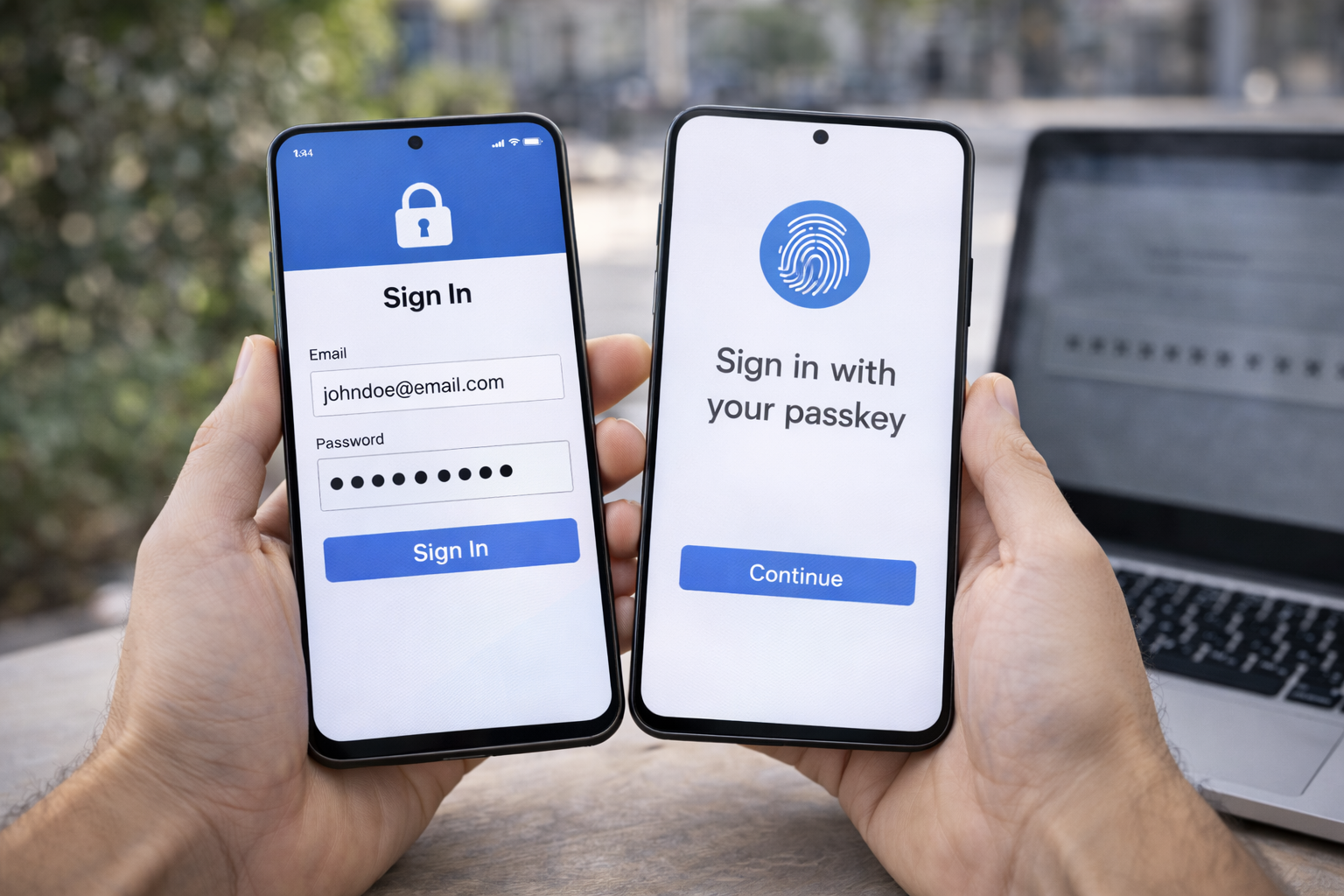



What are passkeys and how do they work? Learn how passkeys replace passwords, when they’re safer, and whether you should stop using passwords yet.
Passwords Are Failing—But Are Passkeys Ready?
Passwords have been “dying” for over a decade.
And yet, most people still rely on them daily.
In 2026, passkeys are the first real alternative that has actually gained mainstream support from major platforms and device makers. That’s why more people are asking: what are passkeys and how do they work—and should I stop using passwords yet?
This guide explains passkeys in plain language:
- What they are
- How they work
- Why they’re more secure
- Where they still fall short
- Whether it’s safe to rely on them today
No hype. No marketing. Just reality.
What Are Passkeys? (Simple Explanation)
A passkey is a passwordless login method that uses cryptography instead of something you memorize.
Instead of typing a password, you authenticate using:
- Your device (phone, laptop, tablet)
- Biometrics (fingerprint, face scan)
- Or a device PIN
There is nothing to type, nothing to remember, and nothing for attackers to steal in a traditional breach.
What are passkeys and how do they work? How Passkeys Work (Step by Step)
This is the simplest way to understand what are passkeys and how do they work:
1. A Key Pair Is Created
When you sign up or enable passkeys:
- Your device creates two cryptographic keys
- A public key (stored by the website)
- A private key (stored securely on your device)
The private key never leaves your device.
2. You Log In by Proving You Have the Device
When you try to log in:
- The website sends a challenge
- Your device signs it using the private key
- You confirm with biometrics or a PIN
No password is sent. Nothing reusable is exposed.
3. The Website Verifies the Signature
If the signature matches the public key:
- You’re logged in
- No secret is transmitted
- No password exists to steal
This is why passkeys are considered phishing-resistant by design.
What are passkeys and how do they work? Why Passkeys Are More Secure Than Passwords
Passwords fail for predictable reasons.
Passkeys remove those weaknesses entirely.
Passwords Can Be
- Reused
- Phished
- Leaked in breaches
- Guessed or cracked
Passkeys Cannot Be
- Reused across sites
- Phished via fake websites
- Stolen in database breaches
- Brute-forced remotely
Even if a website is compromised, attackers only get the public key, which is useless on its own.
Do Passkeys Replace Two-Factor Authentication?
In most cases, yes.
Passkeys already combine:
- Something you have (your device)
- Something you are (biometrics) or know (device PIN)
This makes passkeys stronger than passwords + SMS codes and comparable to authenticator apps—without the friction.
Where Passkeys Are Already Being Used
By 2026, passkeys are supported by:
- Major operating systems
- Large tech platforms
- Many financial and consumer services
However, adoption is still uneven.
You’ll see:
- Passkeys offered alongside passwords
- Partial rollout across accounts
- Different implementations by platform
This hybrid stage is normal for a major security transition.
The Real Downsides of Passkeys (Important)
Passkeys are not perfect.
Understanding their limitations matters.
1. Device Dependency
Your passkey lives on your device.
If you lose access to:
- Your phone
- Your laptop
- Your cloud account
Recovery becomes critical.
This is why backup and recovery options matter more than ever.
2. Ecosystem Lock-In
Passkeys often sync via:
- Device ecosystems
- Cloud accounts
This can create friction if you:
- Switch platforms
- Use multiple ecosystems
- Lose access to your main account
Passwords are portable. Passkeys are not—yet.
3. Limited Universal Support
Not every site supports passkeys in 2026.
That means:
- Passwords are still necessary
- Hybrid setups are common
- You can’t go fully passwordless everywhere
Are Passkeys Safe If Your Phone Is Stolen?
This is a common concern—and a valid one.
Passkeys are protected by:
- Device encryption
- Biometric checks
- Secure hardware enclaves
A stolen phone does not automatically give access to your accounts.
However:
- Weak device PINs increase risk
- Poor recovery planning creates lockout risk
Device security matters more with passkeys than with passwords.
Should You Stop Using Passwords Yet? (Honest Answer)
No—not completely.
But you should start using passkeys where available.
Best Approach in 2026
- Use passkeys when supported
- Keep a password manager for everything else
- Enable strong recovery options
- Avoid SMS-only security
This hybrid approach gives you the benefits of passkeys without unnecessary risk.
Passkeys vs Password Managers
Passkeys do not make password managers obsolete—yet.
Password managers still matter for:
- Sites without passkeys
- Cross-platform access
- Secure storage of recovery data
In practice, passkeys and password managers work together, not against each other.
Common Myths About Passkeys
“Passkeys are less secure than passwords.”
False. They’re significantly more secure.
“Passkeys can be hacked remotely.”
Extremely unlikely due to cryptographic design.
“If I lose my phone, I lose everything.”
Only if recovery isn’t set up properly.
“Passkeys are just biometrics.”
Biometrics unlock the key—they are not the key.
How to Start Using Passkeys Safely
If you’re curious but cautious, start here:
- Enable passkeys on low-risk accounts first
- Keep passwords as fallback where offered
- Store recovery options securely
- Use strong device locks
- Don’t disable your password manager
Passkeys reward preparation.
FAQs: What Are Passkeys and How Do They Work
1. Are passkeys safer than passwords?
Yes—by design.
2. Can passkeys be phished?
No, not in the traditional sense.
3. Do passkeys replace 2FA?
In most cases, yes.
4. Are passkeys stored on servers?
Only the public key is stored.
5. What happens if I lose my phone?
Recovery depends on your setup—plan ahead.
6. Will passwords disappear completely?
Eventually—but not yet.
Conclusion: Passkeys Are the Future—But Not the Present Everywhere
So, what are passkeys and how do they work?
They replace passwords with cryptographic proof tied to your device—making logins safer, faster, and resistant to phishing.
But in 2026:
- Passkeys are ready
- Adoption is still catching up
- Hybrid security is the smartest approach
You don’t need to abandon passwords overnight.
You just need to stop relying on them alone.
That’s how security actually improves.
FIDO Alliance explains how passkeys work: What Are Passkeys?
All Rights Reserved © 2026