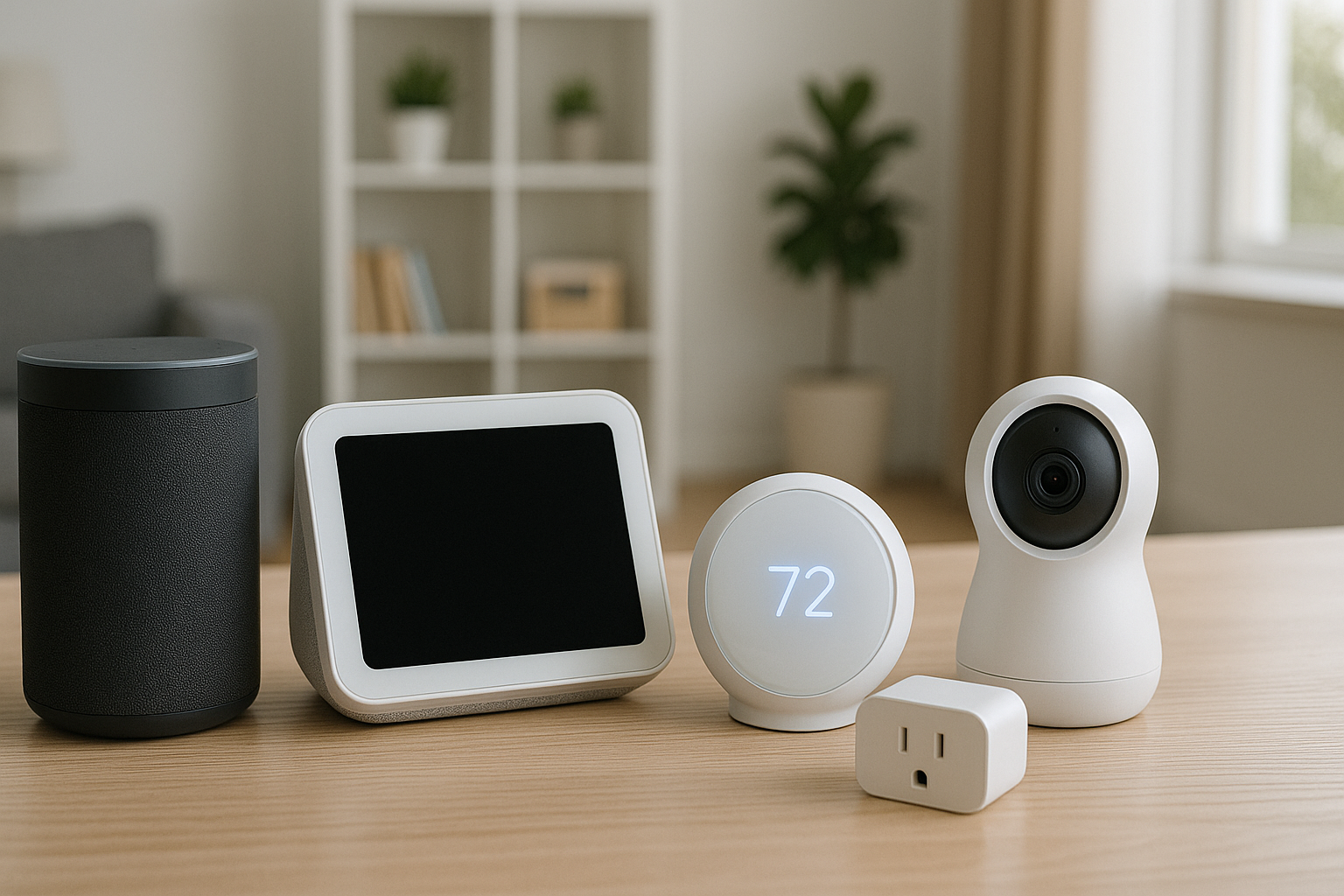



Best Smart Home Gadgets for Beginners in 2026 – start your first smart home the simple way with beginner-friendly picks (Matter + Thread where possible), quick setup tips, and a no-drama shopping checklist.
Best Smart Home Gadgets for Beginners in 2026 What “Smart Home” Means in 2026
A “smart home” in 2026 isn’t about turning your house into a spaceship. It’s about tiny conveniences that stack up: lights that follow a schedule, plugs that shut off heaters safely, a doorbell that shows who’s there, and routines that handle the boring stuff.
The big shift is that Matter has made setup and compatibility easier across major platforms, and Thread helps low-power devices stay reliable with mesh networking. Google’s own support docs explain which Nest hubs include Thread border routing for Matter over Thread (so you don’t need extra hardware). Google Help+2Google Home+2 Amazon also documents how Alexa supports Matter and Thread devices for local control and better reliability. Developer Portal Master+1
Matter + Thread in plain language
- Matter = a common “language” so devices can work across ecosystems (Alexa/Google/Apple) more easily. Developer Portal Master+1
- Thread = a low-power mesh network that can make sensors and small devices more dependable (and often faster to respond). Developer Portal Master+1
Best Smart Home Gadgets for Beginners in 2026: Do you still need a hub?
Sometimes:
- If you want Thread devices, you need a Thread border router (many smart displays/routers have this built-in). Google Help+1
- If you buy legacy Zigbee/Z-Wave gear, you’ll likely need a compatible hub/bridge.
For true beginners, the simplest route is: one smart display/speaker that acts as a controller + a few Matter-compatible devices.
Best Smart Home Gadgets for Beginners in 2026 Beginner Smart Home Goals
Pick one main goal first (seriously). Beginners succeed faster when they don’t try to automate the entire home in one weekend.
- Comfort: lighting scenes, thermostat schedules
- Convenience: voice timers, automations, “goodnight” routine
- Safety: doorbell camera, leak sensors, contact sensors
Now, let’s get into the actual gadgets.
Best Smart Home Gadgets for Beginners in 2026 The 13 Best Beginner Gadgets
1) Smart speaker or smart display
This becomes your simple command center. A Nest Hub (2nd gen) can act as a Matter controller and (in certain models) a Thread border router. Google Help+1
If you like Alexa, choose an Echo model that fits your needs; Amazon’s developer docs explain Matter and Thread device support on Alexa. Developer Portal Master+1
Beginner win: “Turn off all lights” and “Set a timer” alone will make you feel like you’re living in the future.
2) Smart plugs
Smart plugs are the best “first gadget” because they’re cheap and instantly useful. A recent Tom’s Guide roundup highlights TP-Link Tapo’s mini plug as a top overall pick and notes Matter support as a big compatibility plus. Tom’s Guide
Use smart plugs for:
- Lamps (instant “smart light”)
- Coffee maker schedules
- Holiday lights
- Fans and air purifiers
3) Smart bulbs or a lighting starter kit
If you want the most “wow” per dollar: start with lighting. A starter kit (like Philips Hue) is beginner-friendly because the app is polished and scenes are simple to set up.
Beginner win: one “Movie” scene and one “Goodnight” scene.
4) Smart thermostat
Optional, but powerful if you own your place and can install it. Great for comfort and potentially energy savings—especially when combined with schedules and geofencing.
Beginner win: stop heating/cooling an empty home.
5) Video doorbell
A doorbell is an easy safety upgrade: see packages, get alerts, talk to visitors. If you’re renting, check whether your building allows it and consider battery-powered options.
Beginner win: “Who’s at the door?” right on your hub.
6) Contact sensor + motion sensor
These are the “LEGO bricks” of automation:
- Motion sensor → hallway light at night
- Door sensor → entry light when you get home
- Both → smarter routines (and fewer false triggers)
7) Smart lock
Also optional. The beginner-friendly move is choosing a lock that supports your ecosystem cleanly and has reliable keypad/backup options.
Beginner win: give family a code instead of copying keys.
8) Leak sensor
A tiny device that can save you from big damage. Put one under:
- Kitchen sink
- Washing machine
- Water heater
Beginner win: one alert can pay for the whole setup.
9) Smart smoke/CO alarms
If you’re upgrading anyway, smart alerts can be hugely valuable—especially if you’re away.
10) Robot vacuum
Not required, but it’s one of those “I didn’t know I needed this” gadgets. Great for pet hair and daily maintenance.
11) Smart power strip
Perfect for entertainment centers and desk setups where one “plug” isn’t enough.
12) Smart dimmer switch
Sometimes better than bulbs, especially in:
- Dining rooms
- Living rooms
- Rooms with multiple ceiling lights
13) A simple indoor camera
Great for checking on pets, kids arriving home, or just peace of mind. Keep it basic and prioritize privacy settings.
Best Smart Home Gadgets for Beginners in 2026 Beginner Setup Plan
Step 1: Choose your ecosystem
- Google Home: great with Nest hubs and Thread border router options. Google Help+1
- Alexa: wide device support; Matter + Thread support documented by Amazon. Developer Portal Master+1
- Apple Home: strong privacy posture, best if you’re already all-in on iPhone/HomePod.
Step 2: Add only 2–3 devices
A clean starter set:
- Smart display/speaker
- Two smart plugs
- One smart bulb (or a small lighting kit)
Step 3: Create 3 routines
- Morning: lights on low + weather + coffee plug
- Night: lights off + lock door + set thermostat
- Away: turn off plugs + enable camera alerts
Best Smart Home Gadgets for Beginners in 2026 Buying Checklist
- Look for the Matter logo when possible (simpler compatibility). Developer Portal Master+1
- If you’re buying Thread devices, confirm you have a Thread border router (Nest Hub 2nd gen, Nest Hub Max, Nest WiFi Pro, etc.). Google Help+2Google Home+2
- For smart plugs, make sure your Wi-Fi is compatible (many still require 2.4 GHz). Tom’s Guide
- Read privacy settings for anything with a mic/camera.
Best Smart Home Gadgets for Beginners in 2026 FAQs
1) What’s the easiest first smart home gadget?
A smart plug. It’s low-cost, quick to set up, and instantly useful for lamps, fans, and schedules. Tom’s Guide
2) Do I need Matter to start a smart home?
No—but it makes life easier because it improves cross-platform compatibility and often reduces setup headaches. Developer Portal Master+1
3) What’s Thread and why do beginners care?
Thread can make small devices (like sensors) more reliable using a mesh network, especially when you have a Thread border router in your hub. Google Home+1
4) Should I start with smart bulbs or smart switches?
- Renters: start with bulbs (easy to remove later).
- Homeowners: switches/dimmers can be better for rooms with many lights.
5) Is a smart display better than a smart speaker for beginners?
Often yes, because you can see devices, routines, and camera feeds—less guesswork. Google lists several Nest hubs that support Matter and (in some cases) Thread. Google Help+1
6) How do I avoid buying incompatible devices?
Stick to one ecosystem at first and prioritize Matter where possible. Double-check whether devices use Wi-Fi, Thread, or require a separate bridge/hub. Google Help+1
7) What’s one “bonus” gadget beginners love that isn’t expensive?
A plug-in nightlight / charger combo can be surprisingly useful in entryways and bedrooms—like IKEA’s new Qi2 chargers with lighting features for bedside/entry use. The Verge
Best Smart Home Gadgets for Beginners in 2026 Final Thoughts
A beginner smart home doesn’t need to be complicated. The Best Smart Home Gadgets for Beginners in 2026 are the ones that feel boringly reliable: one hub/display, a few Matter-friendly devices, and routines that save you effort every day.
If you do just one thing this week: get a smart plug and automate one lamp. That single win makes the whole category “click.”
External resource (learn more about Matter 1.3 and where smart home standards are heading):
Matter 1.3 Specification announced, enabling energy reporting for Matter devices, and support for water and energy management, electric vehicle chargers, and new major appliances
- Google Smart Home Devices
- Amazon Alexa Smart Home
- Apple HomeKit Overview
- Philips Hue Smart Lighting
- The Verge Smart Home Guides
All Rights Reserved © 2026