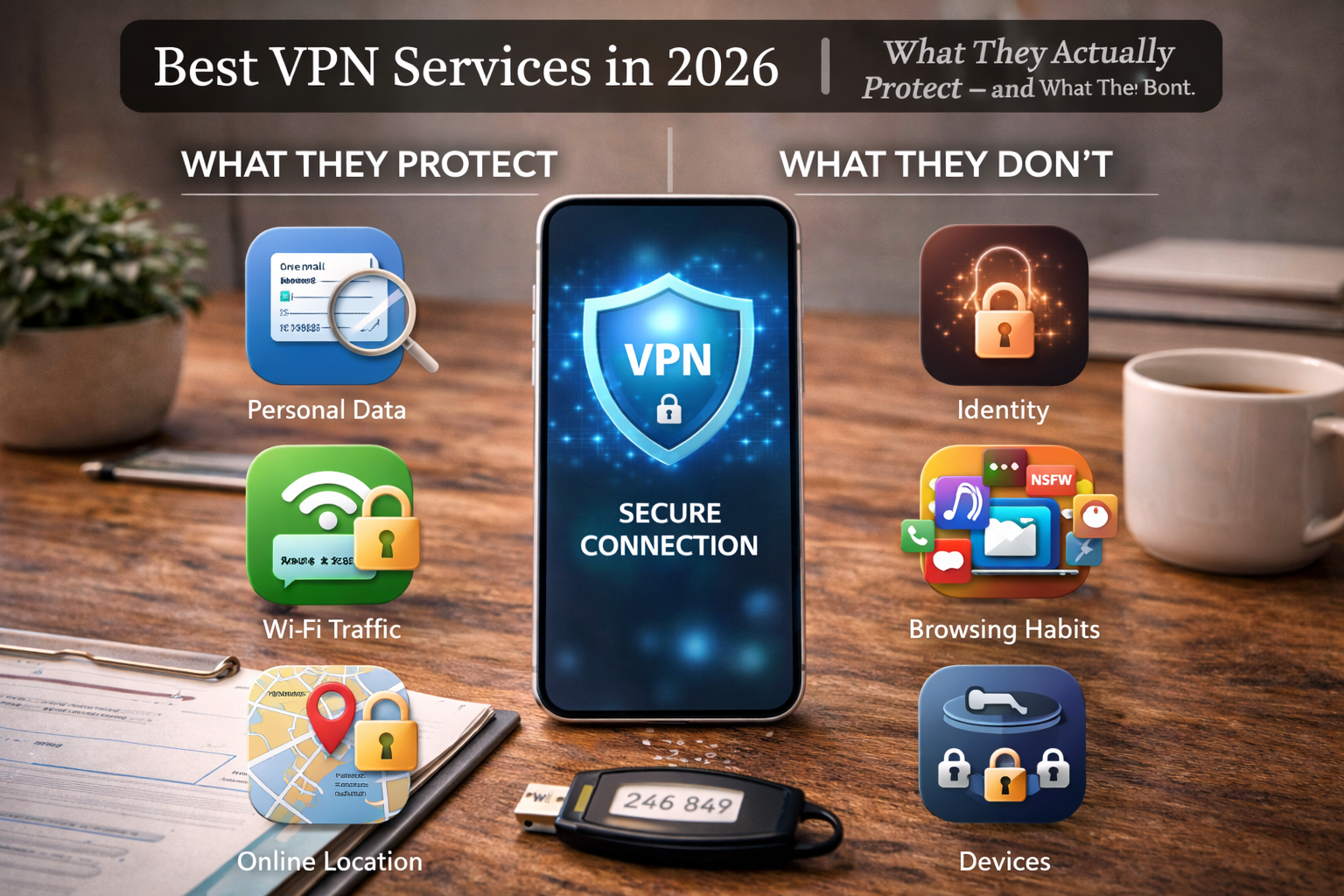



Best VPN Services in 2026: An honest 2026 guide to the best VPN services—what VPNs actually protect, common myths that cause false confidence, and how to use a VPN correctly without wasting money or security.
Why VPNs Are More Confusing Than Ever in 2026
VPNs are everywhere in 2026.
They’re advertised as:
- Privacy shields
- Security tools
- Anonymity solutions
- Protection against “everything online”
And yet—VPNs are also one of the most misunderstood security tools in common use.
Some people rely on VPNs for protection they cannot provide.
Others dismiss them entirely, missing the very real benefits they still offer.
This article explains the best VPN services in 2026—but more importantly:
- What VPNs actually do
- What they do not do
- When a VPN meaningfully improves privacy
- When it creates false confidence
What a VPN Really Does (In Plain Terms)
A VPN creates an encrypted tunnel between your device and a VPN server.
This means:
- Your internet traffic is encrypted in transit
- Your IP address is hidden from websites
- Your ISP sees less of what you do
That’s it.
A VPN does not:
- Make you anonymous
- Protect your accounts
- Stop tracking scripts
- Replace good security habits
Understanding this boundary is the key to using VPNs correctly.
How VPNs Actually Protect You
VPNs are effective in specific scenarios.
VPNs Protect Against
- Unsecured public Wi-Fi interception
- ISP-level traffic profiling
- Local network snooping
- Basic IP-based tracking
This makes them especially valuable for:
- Travelers
- Remote workers
- Public hotspot use
- Countries with aggressive ISP monitoring
In these contexts, VPNs are extremely useful.
For a clear explanation of what VPNs do and don’t protect, see the FTC’s guide to VPNs and the Electronic Frontier Foundation’s overview of VPN privacy.
The Biggest VPN Myths (And Why They’re Dangerous)
Myth 1: “A VPN makes me anonymous”
VPNs hide your IP—not your identity.
If you log into:
- Social media
- Work accounts
…you are still identifiable.
Myth 2: “I don’t need other security if I use a VPN”
A VPN does not:
- Stop phishing
- Protect passwords
- Secure accounts
VPNs protect traffic, not behavior.
Myth 3: “All VPNs are basically the same”
They’re not.
Differences include:
- Logging policies
- Jurisdiction
- Infrastructure
- Business models
Choosing blindly can make privacy worse—not better.
What VPNs Cannot Protect Against
This is where most misuse happens.
VPNs do not protect against:
- Malware
- Phishing attacks
- Account compromise
- Device-level spyware
- Tracking cookies
- Browser fingerprinting
If you expect a VPN to solve these problems, you will be exposed.
VPNs are one layer—not a security system.
VPNs: Traffic Privacy vs Identity Privacy
This distinction matters.
- Traffic privacy: who can see your data in transit
- Identity privacy: who knows you are the one acting
VPNs help with the first.
They do very little for the second.
This is why VPNs pair best with:
- Secure browsers
- Account hygiene
- Password managers
- Authentication apps
Alone, they’re incomplete.
Logging: The Trust Question Nobody Can Avoid
Every VPN provider must answer one question:
What do you log—and why?
Some logging is unavoidable:
- Connection timestamps
- Server load
- Abuse prevention
The danger lies in:
- Activity logs
- Browsing history
- Identifiable metadata
The best VPN services in 2026 are:
- Transparent
- Audited
- Clear about limitations
Silence is not the same as privacy.
Why “No Logs” Claims Are Often Misleading
“No logs” does not mean:
- No data
- No records
- No metadata
It usually means:
- No browsing history logs
Understanding what is logged matters more than slogans.
Free VPNs: The Hidden Cost
Free VPNs still need revenue.
They often monetize via:
- Data collection
- Ads
- Bandwidth resale
- Tracking
If privacy is the goal, free VPNs frequently undermine it.
A paid VPN with a clear business model is usually safer.
VPNs for Travel and Public Wi-Fi (Where They Shine)
This is the strongest use case.
On public networks, VPNs:
- Encrypt traffic
- Prevent local snooping
- Reduce exposure
If you travel or work remotely, a VPN is one of the most practical security tools you can use.
Streaming and Location Spoofing: Reality Check
Many people use VPNs for:
- Geo-unblocking
- Streaming libraries
This is a cat-and-mouse game.
Expect:
- Inconsistent access
- Blocked servers
- Frequent changes
Streaming should be a secondary benefit, not the main reason to choose a VPN.
🏁 Conclusion (Part 1)
VPNs in 2026 are neither magic shields nor obsolete tools.
They are:
- Powerful in the right context
- Misused in the wrong one
Understanding what VPNs actually protect—and what they don’t—is the difference between real security and false confidence.
How to Evaluate VPN Providers the Right Way
Choosing a VPN in 2026 isn’t about picking the loudest brand.
It’s about answering one question honestly:
“Who do I trust to see my internet traffic?”
Because when you use a VPN, you are:
- Shifting trust from your ISP
- Handing it to a private company
That tradeoff must be intentional—not accidental.
The Five Criteria That Actually Matter
Ignore flashy promises.
Focus on these five factors instead.
1️⃣ Best VPN services in 2026: Logging Policy (What Is Actually Recorded)
Every VPN logs something.
The key is what and why.
Look for:
- No browsing activity logs
- Minimal connection metadata
- Clear explanations (not slogans)
Red flags:
- Vague “no logs” claims
- No public documentation
- Marketing language without detail
Transparency beats perfection.
2️⃣ Best VPN services in 2026: Independent Security Audits
Audits don’t guarantee perfection—but they prove seriousness.
Strong VPN providers:
- Undergo third-party audits
- Publish summaries publicly
- Repeat audits over time
No audits = trust is based on marketing alone.
For the best VPN services in 2026, audits are now a baseline expectation.
3️⃣ Jurisdiction (Where the Company Is Based)
Jurisdiction matters—but not in the simplistic way ads suggest.
What matters more than country:
- Company structure
- Legal transparency
- History of cooperation or resistance
A provider claiming immunity from all laws is lying.
Instead, look for:
- Clear explanations of legal obligations
- Minimal data retention by design
4️⃣ Infrastructure Control
Some VPNs:
- Own their servers
- Control their hardware
- Use RAM-only servers
Others:
- Rent cheap third-party servers
- Share infrastructure
- Have limited visibility
The more control a provider has, the fewer unknown risks exist.
5️⃣ Business Model Clarity
If you don’t understand how a VPN makes money, you might be the product.
Healthy signs:
- Paid subscriptions
- No ads
- No data resale
- No affiliate-driven fear marketing
Free VPNs almost always fail this test.
Why “Military-Grade Encryption” Is Mostly Noise
Almost all modern VPNs use strong encryption.
That’s not the differentiator anymore.
What is differentiating in 2026:
- Logging practices
- Transparency
- Operational discipline
- Incident response
Encryption strength matters far less than people think.
The Real Tradeoff: Privacy vs Convenience
VPNs introduce friction:
- Slower speeds
- Occasional disconnects
- Blocked services
The best VPN services in 2026:
- Minimize friction
- Handle reconnections gracefully
- Offer reliable kill switches
If a VPN is annoying, people stop using it—and security disappears.
Kill Switches: Why They Matter More Than Speed
A kill switch:
- Blocks traffic if the VPN drops
- Prevents accidental IP leaks
This matters especially on:
- Public Wi-Fi
- Unstable networks
- Laptops moving between networks
A VPN without a reliable kill switch is incomplete.
Multi-Device Use: Hidden Risk
Many users run VPNs on:
- Phones
- Laptops
- Tablets
Risks increase when:
- Devices are forgotten
- VPN apps are outdated
- Sessions remain active
Best practice:
- Review connected devices quarterly
- Remove unused devices
- Keep apps updated
Security decays silently.
Common VPN Mistakes That Reduce Protection
Avoid these patterns:
- Leaving the VPN off “just this once”
- Assuming VPN = anonymity
- Using VPNs while logged into everything
- Trusting browser extensions alone
- Forgetting DNS and IPv6 leaks
A VPN is a tool—not a mindset.
When a VPN Actually Makes Sense (Clear Use Cases)
Use a VPN when:
- Traveling
- Using public Wi-Fi
- Avoiding ISP profiling
- Working remotely
Don’t rely on a VPN when:
- Trying to hide identity
- Preventing phishing
- Securing accounts
- Avoiding tracking cookies
Matching tool to threat prevents false confidence.
VPNs and Modern Browsers: The Overlap Problem
Modern browsers now offer:
- Encrypted DNS
- HTTPS by default
- Tracking protection
This reduces—but does not eliminate—the value of VPNs.
VPNs still add:
- Network-level encryption
- ISP shielding
- Public Wi-Fi safety
They complement browsers—not replace them.
🏁 Conclusion (Part 2)
The best VPN services in 2026 aren’t the ones making the biggest promises.
They are the ones that:
- Clearly explain limitations
- Publish audits
- Minimize logging
- Reduce friction
- Earn trust over time
A VPN is not about disappearing online.
It’s about reducing unnecessary exposure in the moments that matter.
VPN Myths That Still Cause Real Harm
Before wrapping up, it’s critical to clear the misunderstandings that cause people to misuse VPNs—and feel falsely protected.
Myth 1: “If I’m on a VPN, I’m safe online”
A VPN protects traffic in transit, not:
- Phishing links
- Fake login pages
- Compromised devices
- Weak passwords
This myth leads people to lower their guard exactly when they shouldn’t.
Myth 2: “VPNs stop companies from tracking me”
A VPN hides your IP address.
It does not stop:
- Logged-in account tracking
- Cookies and local storage
- Browser fingerprinting
- App-level analytics
Tracking happens above the network layer.
Myth 3: “Using a VPN means no one can identify me”
If you log into:
- Social media
- Work tools
…your identity is already known.
VPNs reduce where data is seen—not who you are.
Myth 4: “More VPN features = more security”
Extra features often add:
- Complexity
- Bugs
- Misconfiguration risk
Simple, well-maintained VPNs outperform bloated ones over time.
When VPNs Are the Right Tool (And When They Aren’t)
Understanding when to use a VPN is more important than which brand you choose.
Strong Use Cases
Use a VPN when you are:
- On public or hotel Wi-Fi
- Traveling internationally
- Working remotely
- Avoiding ISP-level profiling
In these cases, VPNs significantly reduce risk.
Weak or Misguided Use Cases
VPNs are not effective for:
- Preventing account hacks
- Avoiding ads and trackers
- Hiding identity on logged-in platforms
- Replacing good browser hygiene
Using a VPN here creates false confidence.
A Realistic VPN Usage Strategy for 2026
Instead of “always on” or “never use,” adopt situational VPN use.
Turn VPN ON when:
- Joining unknown networks
- Traveling
- Accessing work systems remotely
VPN Optional when:
- Browsing casually at home
- Streaming content
- Using trusted private networks
Turn VPN OFF when:
- It causes breakage you don’t understand
- You need stable local connections
- You forget it’s masking network issues
Intentional use beats permanent use.
How VPNs Fit Into a Modern Privacy Stack
VPNs work best as one layer, not the foundation.
A realistic privacy stack looks like:
- Secure, up-to-date devices
- Strong account security (password manager + MFA)
- Privacy-respecting browser settings
- VPN for network-level protection
Remove any one layer—and risk increases.
What Most People Should Stop Doing With VPNs
To improve real security, stop:
- Chasing “most anonymous” claims
- Rotating VPN providers constantly
- Expecting VPNs to block scams
- Using free VPNs for sensitive activity
These behaviors increase risk instead of reducing it.
The “Trust Transfer” Principle
When you use a VPN, you are not eliminating trust.
You are moving it:
- From your ISP
- To a VPN provider
The goal isn’t zero trust—it’s better-aligned trust.
That’s why transparency, audits, and reputation matter more than slogans.
FAQs: Best VPN Services in 2026
Do I need a VPN at home?
Usually no—unless you want to reduce ISP-level profiling or add a layer of protection.
Are paid VPNs always better than free ones?
Almost always. Free VPNs often monetize user data, undermining privacy.
Should I leave my VPN on all the time?
Not necessarily. Situational use reduces friction and mistakes.
Can a VPN protect me from hackers?
Only in limited network-level scenarios (like public Wi-Fi). It does not replace account security.
Is using a VPN legal?
In most countries, yes. Always check local regulations when traveling.
🏁 Best VPN services in 2026: Final Conclusion
In 2026, VPNs are neither obsolete nor magical.
They are:
- Extremely useful in the right context
- Misused in the wrong one
The best VPN services in 2026 don’t promise invisibility.
They provide:
- Clear limits
- Reliable protection
- Transparent trust models
When you understand what VPNs actually protect—and stop expecting them to do everything—you gain real security instead of false confidence.
That’s how VPNs are meant to be used.
All Rights Reserved © 2026