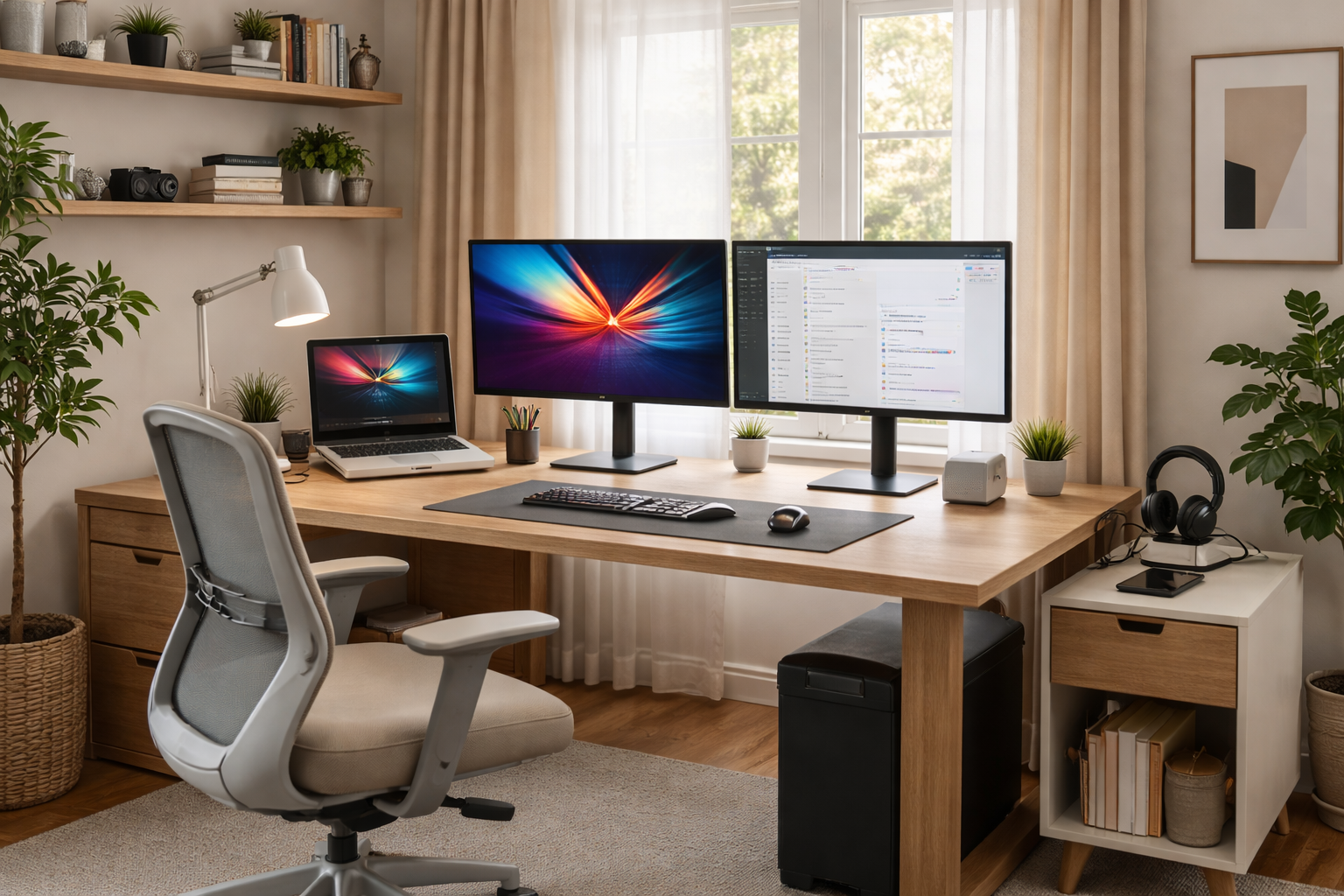



Top Home Office Upgrades in 2026 (Budget & Premium) – upgrade your work-from-home setup with proven budget and premium gear that improves comfort, productivity, video calls, and long-term health.
Why Home Office Upgrades Matter More in 2026
By 2026, home offices aren’t temporary setups anymore—they’re primary workspaces. That means comfort, reliability, and ergonomics directly affect productivity, health, and even career growth.
The good news? You don’t need a full-room makeover. The smartest upgrades are targeted—small changes that deliver outsized gains.
Top Home Office Upgrades in 2026: Core Principles of a Great Home Office
Before buying anything, anchor your setup around three rules:
- Ergonomics first – pain-free work beats fancy tech
- Visual clarity – screens and lighting reduce fatigue
- Friction reduction – fewer cables, fewer distractions
With those in mind, let’s break down the best budget and premium upgrades.
Desk & Seating Upgrades
1) Ergonomic Chair (The #1 Upgrade)
Budget ($200–$400):
- Mesh-backed ergonomic chairs with adjustable lumbar
- Huge comfort jump over dining chairs
Premium ($1,000+):
- Herman Miller Aeron / Embody
- Steelcase Leap / Gesture
Why it matters:
You sit 6–10 hours a day. This upgrade pays dividends in posture, focus, and reduced back pain.
2) Standing Desk or Desk Converter
Budget:
- Manual crank standing desks
- Desktop converters (cheapest option)
Premium:
- Motorized sit-stand desks with memory presets
- Solid wood or bamboo tops for stability
Pro tip: Even standing 30–60 minutes a day improves energy and circulation.
Top Home Office Upgrades in 2026 Monitor & Display Upgrades
3) Ultrawide or Dual Monitors
Budget:
- 27” QHD monitor (excellent value)
- Dual 24” setup for multitasking
Premium:
- 34”–40” ultrawide (5K2K class)
- Mini-LED or OLED panels for clarity and contrast
Why it matters:
More screen space = fewer window switches = better flow.
4) Monitor Arm
Budget: $40–$80 gas-spring arms
Premium: Heavy-duty dual arms with tool-free adjustment
This frees desk space and allows perfect eye-level positioning, reducing neck strain.
Keyboard, Mouse & Input
5) Mechanical or Ergonomic Keyboard
Budget:
- Low-profile mechanical keyboards
- Quiet tactile switches
Premium:
- Split ergonomic keyboards
- Custom mechanical builds
Your keyboard is touched thousands of times per day—comfort matters more than RGB.
6) Ergonomic Mouse or Trackball
Budget: Vertical mice
Premium: Advanced trackballs or pen-tablet hybrids
Great for preventing wrist strain and RSI.
Lighting & Acoustics
7) Bias Lighting & Desk Lamps
Budget:
- LED desk lamp with adjustable color temperature
- Monitor bias light strip
Premium:
- Smart adaptive lighting that shifts throughout the day
This reduces eye fatigue and improves focus—especially during late work hours.
8) Acoustic Treatment (Underrated Upgrade)
Budget:
- Fabric wall panels
- Thick curtains or rugs
Premium:
- Purpose-built acoustic panels
Improves call clarity instantly—especially in echoey rooms.
Camera, Mic & Call Quality
9) Webcam Upgrade
Budget:
- 1080p webcam with autofocus
Premium:
- 4K webcam or mirrorless camera + capture card
Better image quality = more professional presence on calls.
10) Microphone (Huge ROI)
Budget:
- USB condenser mic on a boom arm
Premium:
- XLR mic + audio interface
People will forgive video issues—they won’t forgive bad audio.
Power, Cables & Organization
11) Thunderbolt / USB-C Dock
Budget:
- 1-cable laptop charging + display output
Premium:
- Full Thunderbolt 4 docks with multiple monitors
One cable = faster setup, cleaner desk, fewer headaches.
12) Cable Management Kit
Budget:
- Cable trays + Velcro ties
Premium:
- Under-desk raceways + magnetic cable systems
This upgrade costs little but makes your space feel 10× better.
Smart Office Extras (Nice-to-Have Wins)
13) Smart Plug or Power Strip
- Schedule desk lamp, charger, or fan
- Auto shut-off at night
14) Noise-Canceling Headphones
- Focus during deep work
- Clearer calls in shared homes
Top Home Office Upgrades in 2026 Quick Budget vs Premium Upgrade Table
| Category | Budget Pick | Premium Pick |
|---|---|---|
| Chair | Ergonomic mesh | Herman Miller / Steelcase |
| Desk | Manual standing | Motorized sit-stand |
| Monitor | 27” QHD | Ultrawide 5K2K |
| Audio | USB mic | XLR mic + interface |
| Lighting | LED desk lamp | Smart adaptive lighting |
Top Home Office Upgrades in 2026 FAQs
1) What’s the single best home office upgrade in 2026?
An ergonomic chair. It affects comfort, posture, and productivity more than any gadget.
2) Are standing desks really worth it?
Yes—especially if you alternate sitting and standing. You don’t need to stand all day to benefit.
3) Ultrawide or dual monitors—which is better?
- Ultrawide = cleaner setup, great for creative work
- Dual monitors = flexibility and lower cost
4) Do I need premium gear to be productive?
No. Budget upgrades cover 80% of the benefits. Premium gear improves refinement and long-term durability.
5) What’s the most overlooked upgrade?
Lighting and acoustics. They dramatically reduce fatigue and improve call quality.
6) How should I upgrade if I’m on a tight budget?
Start with:
- Chair
- Monitor
- Lighting
Everything else can follow.
Top Home Office Upgrades in 2026 Final Thoughts
The Top Home Office Upgrades in 2026 (Budget & Premium) aren’t about showing off—they’re about working better with less strain.
Simple upgrade strategy:
- Fix posture (chair + desk height)
- Improve visibility (monitor + lighting)
- Reduce friction (dock + cable management)
Do those three, and your home office will feel calmer, more professional, and far more productive—without rebuilding the entire room.
- Herman Miller Office Chairs
- Fully Standing Desks
- Logitech Productivity Mice
- Dell Monitors for Work
- The Verge – Work From Home Guides
All Rights Reserved © 2026