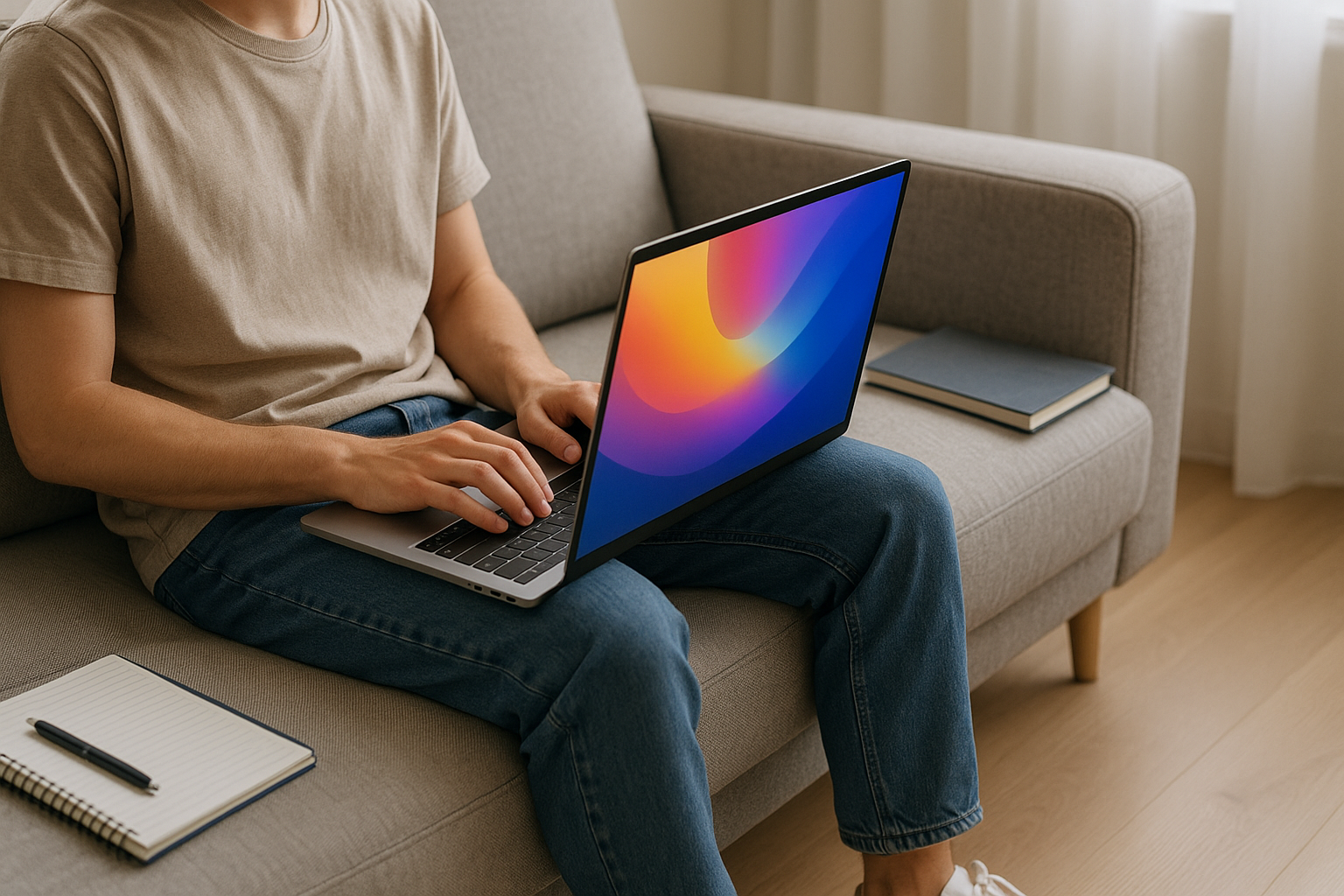



Find the Best Laptops for Students in 2026 (All Budgets) with clear specs by major, budget tiers, battery and display tips, and sample configurations. Includes security and accessory advice.
Choosing a laptop now affects every day of your school year—classes, research, labs, and late-night study sessions. The Best Laptops for Students in 2026 (All Budgets) combine the right specs for your major with all-day comfort and reliability. This guide breaks down budgets, key hardware, platform pros/cons, and ready-to-copy configurations so you can buy once and study smoothly.
Part of: Best Laptops in 2026 Guide
Why Your 2026 Student Laptop Choice Matters
Coursework is heavier: AI, video, data, and VMs
Even general courses lean on heavier tools—AI note-takers, data dashboards, lecture recordings, and virtual labs. STEM and creative majors often need compilers, IDEs, 3D/modeling, or 4K video timelines. That means your laptop should handle multitasking + bursts without sounding like a jet engine.
Battery life, portability, and durability on campus
You’ll haul it between classes, labs, and cafés. Look for 3-pound-ish weight, 8–16 hours real battery, and a rigid chassis that survives backpacks. Bonus points for USB-C charging so you can borrow a friend’s charger.
- Best Laptops for Students 2026
- Best Budget Laptops for Everyday Use 2026
- Best Laptops for Remote Workers 2026
- Best Laptops for Creators 2026
- Best Tablets 2026 (Student Alternatives)
- Top Note-Taking Apps 2026
- Best Focus & Pomodoro Apps 2026
- Best AI Tools 2026 (Student Productivity)
- Best Cloud Storage Options 2026
- Productivity Hacks That Actually Work
How to Choose: The S.M.A.R.T. Laptop Checklist
S — Specs that match your major
Don’t pay for power you won’t use—or buy too little and regret it. Below we map CPU/GPU/RAM/SSD to subjects.
M — Mobility: weight, size, battery, chargers
A thin 13–14″ laptop fits small desks and weighs less. If you spreadsheet or edit video a lot, 15–16″ screens help, but consider the extra weight.
A — All-day usability: keyboard, trackpad, webcam, Wi-Fi
A great keyboard beats tiny spec bumps. Prioritize 1080p+ webcam, dual mics, Wi-Fi 6E/7, and Bluetooth 5.x for stable calls and peripherals.
R — Reliability & repair: build, warranty, service
Metal or reinforced chassis, hinge quality, easy service, and a warranty you’ll actually use. Campus repair centers often have preferred brands—ask them.
T — Total cost: discounts, accessories, resale
Students often get education pricing. Budget for a USB-C hub, mouse, external SSD, and backup. Consider resale value after graduation.
Best Laptops for Students in 2026 Budget Tiers (USD) — What to Expect at Each Price
Under $400: email, docs, light web — what’s realistic
- Best for: basic writing, slides, light research, and web apps.
- Expect: entry CPUs, 8 GB RAM, 64–128 GB storage, 13–14″ 1080p displays.
- Tips: Choose 8 GB RAM minimum; prefer 128 GB storage or plan on cloud + microSD (if supported). ChromeOS can stretch low specs further than Windows.
$400–$700: the sweet spot for most general majors
- Best for: humanities, business, education, social sciences.
- Expect: mid CPUs, 8–16 GB RAM, 256–512 GB SSD, decent 13–14″ IPS screens, 6–12 hours battery.
- Tips: Aim for 16 GB RAM if you open many tabs or run Zoom + docs + research at once.
$700–$1,000: faster CPUs, nicer screens, better build
- Best for: most students who want longevity and nicer displays.
- Expect: snappier CPUs, 16 GB RAM, 512 GB SSD, better trackpads, 120 Hz screens in some models, 7–15 hours battery.
- Tips: This tier feels fast for years; consider high-quality chassis and keyboards.
$1,000–$1,500: STEM/creative power without the brick
- Best for: CS, engineering, light 3D, photography/video up to 4K proxy.
- Expect: premium CPUs, 16–32 GB RAM, 512 GB–1 TB SSD, color-accurate displays, sometimes entry dGPU or strong integrated graphics.
- Tips: Balance power with weight—look for sub-4 lbs if you carry it daily.
$1,500+: workstation-class for engineering, 3D, and film
- Best for: heavy 3D CAD, complex simulations, large 4K timelines.
- Expect: top mobile CPUs, powerful dGPU, 32 GB+ RAM, 1 TB+ SSD, color-accurate high-refresh displays, bigger chargers.
- Tips: Consider a lighter laptop + desktop/eGPU on campus if you don’t want to carry 5+ lbs.
Best Laptops for Students in 2026 Specs by Major (2026 Quick Match Guide)
Business, humanities, social sciences
- CPU: modern mid-range mobile CPU (any recent generation)
- RAM: 16 GB
- Storage: 512 GB SSD
- GPU: integrated is fine
- Display: 13–14″, 1080p or better
- Notes: prioritize keyboard, webcam, battery.
CS/IT, data science, engineering
- CPU: upper-mid to high-end mobile CPU (multi-core)
- RAM: 16–32 GB
- Storage: 512 GB–1 TB SSD
- GPU: strong iGPU OK for coding; dGPU helpful for ML, CUDA, graphics
- Notes: virtualization (VMs), Docker, compilers—CPU and RAM matter most.
Design, film, architecture, audio
- CPU: upper-mid to high-end
- RAM: 16–32 GB (audio can live with 16; 3D/video prefer 32)
- Storage: 1 TB ideal (media!) + external SSD
- GPU: dGPU recommended for 3D/CUDA, accelerated video exports
- Display: color-accurate panel; consider 15–16″ for timeline space.
Health sciences & education
- CPU: mid-range
- RAM: 16 GB
- Storage: 512 GB
- GPU: integrated
- Notes: camera/mic quality for tele-sim, reliable Wi-Fi, strong battery.
Best Laptops for Students in 2026 CPU, GPU, RAM & Storage — What Actually Matters in 2026
CPU wars explained (hybrid cores, efficiency vs. burst)
Modern laptop CPUs use performance + efficiency cores. For students, that means snappy bursts for compiles/exports but cool, quiet battery sipping in class. Look for recent-gen chips; exact model numbers matter less than tier within a family.
Integrated vs. discrete GPUs: who needs which
- Integrated GPU (iGPU): fine for general work, coding, light creative, even some casual gaming.
- Discrete GPU (dGPU): needed for 3D/CAD, CUDA/ML workflows, complex video color/grading.
If you’re unsure, choose a strong CPU + 16 GB RAM; you can often use campus labs for heavy 3D.
RAM realities: 8 GB vs. 16 GB vs. 32 GB
- 8 GB: only for basic browsing/docs or ChromeOS.
- 16 GB: the real-world minimum for most students in 2026.
- 32 GB: for 3D/video, heavy data, VMs, or your “future proof” comfort.
SSD sizes & speeds: 256 GB vs. 512 GB vs. 1 TB
- 256 GB: works if you rely on cloud + external drives.
- 512 GB: the practical minimum for most; keeps local room for apps and files.
- 1 TB: creatives and STEM will thank themselves later.
Display, Battery & Ports — The Everyday Comfort Factors
13–14″ vs. 15–16″; 120 Hz, color, and eye comfort
- 13–14″: ideal campus size/weight; pair with an external monitor in the dorm.
- 15–16″: better for spreadsheets, video timelines, and 3D views.
- 120 Hz+ refresh feels smoother for scrolling and animation; not required but nice.
- Color & brightness: creators should seek 100% sRGB (or wider), 400+ nits.
8–16 hours real battery: what influences it
Battery depends on screen brightness, apps, Wi-Fi, and refresh rate. A power-saving profile and efficient browser can add hours. Carry a 65 W USB-C GaN charger—compact and fast.
USB-C, USB-A, HDMI, SD — and why you still want them
A USB-C-only laptop looks clean until you need to plug a USB-A drive or HDMI projector. A slim USB-C hub fixes that for $25–$50. Creatives may want a built-in SD card slot.
Windows, macOS, ChromeOS, Linux — Which Platform Fits You
App compatibility & campus IT realities
- Windows: widest app support (STEM/enterprise tools).
- macOS: excellent for creative apps, UNIX-friendly for dev, long battery life.
- ChromeOS: best budget performance for web-first students; Android app perks.
- Linux: great for CS/engineering if you know your way around; consider dual-boot or WSL-like environments.
Security & updates; dual-boot and VMs
All major OSes push regular updates. Use MFA for accounts and encrypt your drive. If you need multiple OSes, consider virtual machines or dual-boot (check warranty notes first).
Student Must-Haves (2026) You’ll Thank Yourself For
1080p+ webcam, dual mics, Wi-Fi 6E/7, Bluetooth 5.x
Clear video and audio matter for hybrid classes and interviews. Wi-Fi 6E/7 reduces congestion in dorms; BT 5.x improves headset stability.
Backlit keyboard, precision touchpad, fingerprint/Face login
Typing comfort all semester, smooth gestures, and quick, secure logins when you’re rushing between lectures.
Accessories That Level Up a Budget Laptop
$30–$150 upgrades: mouse, USB-C hub, SSD, cloud backup
- Wireless mouse = less wrist strain.
- USB-C hub = HDMI, USB-A, card reader, Ethernet when you need it.
- External SSD (1–2 TB) = video/photo storage and backups.
- Cloud backup = protects notes and assignments; set it and forget it.
Long-Term Care: Battery, Backups, & Security Basics
- Battery: avoid full discharges; 20–80% habits help longevity.
- Backups: keep copies (cloud + external). Use simple naming like
2026-05 Econ Notes v2. - Security: turn on multi-factor authentication, use a password manager, and enable device encryption and Find My / device locator.
Practical security tips: the U.S. NIST’s plain-language guidance is a great baseline: https://www.nist.gov/cybersecurity - .
Best Laptops for Students in 2026 Sample Configurations (2026) by Budget & Major
These are spec recipes you can match across brands. Ask your campus store about student discounts and warranty/service support.
Lightweight note-taker (general studies)
- Budget: ~$500–$700
- Specs: modern mid-CPU, 16 GB RAM, 512 GB SSD, 13–14″ 1080p, 8–12 hrs battery
- Why it works: fast enough for docs + 20 tabs + Zoom, without lugging a brick.
Coding & data starter (CS/analytics)
- Budget: ~$800–$1,200
- Specs: upper-mid CPU, 16–32 GB RAM, 512 GB–1 TB SSD, 14″ 120 Hz optional
- Why it works: handles IDEs, containers/VMs, and browser + docs together.
Creator on a budget (photo/video/design)
- Budget: ~$1,000–$1,400
- Specs: strong CPU, 16–32 GB RAM, 1 TB SSD, color-accurate 14–16″ display; entry dGPU or robust iGPU
- Why it works: smooth Lightroom, Photoshop, Figma; 4K proxies and short timelines.
Engineering/3D capable (portable workstation)
- Budget: ~$1,500–$2,200
- Specs: high-end CPU, 32 GB RAM, 1 TB SSD, mid/high dGPU, 15–16″ high-brightness panel
- Why it works: CAD, simulations, 3D renders, and complex video exports with headroom.
FAQs — Best Laptops for Students in 2026 (All Budgets)
1) Is 16 GB RAM really necessary?
For 2026, yes for most students. Multitasking + video calls + AI tools quickly overwhelm 8 GB. Creatives/engineers benefit from 32 GB.
2) Do I need a discrete GPU?
Only if you do 3D/CAD, heavy video, or ML/CUDA work. Otherwise, modern integrated GPUs are fine and save battery.
3) How much storage should I buy?
512 GB SSD is a safe starting point. Creatives and STEM should target 1 TB and add an external SSD for media/projects.
4) What screen size is best for campus?
13–14″ balances portability and comfort. If you edit video or love big spreadsheets, 15–16″ helps—just mind the weight.
5) Windows, macOS, ChromeOS, or Linux?
Pick the platform your apps and IT support. Windows = widest compatibility; macOS = strong for creative + UNIX dev; ChromeOS = budget web-first; Linux = advanced users.
6) How long should a student laptop last?
With good care, 4–5 years. Choose quality keyboards, up-to-date CPUs, 16 GB+ RAM, and 512 GB+ SSD for longevity.
7) What about refurbished or last year’s model?
Great value if you get a warranty and healthy battery. Aim for 16 GB RAM and 512 GB SSD minimum.
8) How can I stretch battery life on exam days?
Lower screen brightness, close background apps, switch to a power-saving mode, and—if available—drop refresh to 60 Hz.
9) Are student discounts worth it?
Often 5–15% off plus freebies (extended support or software). Check campus stores and manufacturer education portals.
10) How do I protect my laptop on campus?
Use MFA, a password manager, drive encryption, device tracking, and a minimalist laptop sleeve. Back up notes automatically.
Best Laptops for Students in 2026 Conclusion & Next Steps
The Best Laptops for Students in 2026 (All Budgets) aren’t just fast—they’re comfortable to use all day, secure, and matched to your major. Start with the S.M.A.R.T. checklist, pick your budget tier, and copy a spec recipe that fits your workload. Add a USB-C hub, an external SSD, and automatic backups, and you’re set for semesters to come.
If this article cut off, reply “continue writing from here” and I’ll keep going (or tailor a shortlist for your exact major and budget).
- Apple MacBooks — Official
- Lenovo Student Laptops
- ASUS Student Laptop Lineup
- Acer Laptops — Official
- HP Student Laptops
- Dell Laptops for School
- PCMag — Best Laptops for Students
- WIRED — Best Laptops
All Rights Reserved © 2026