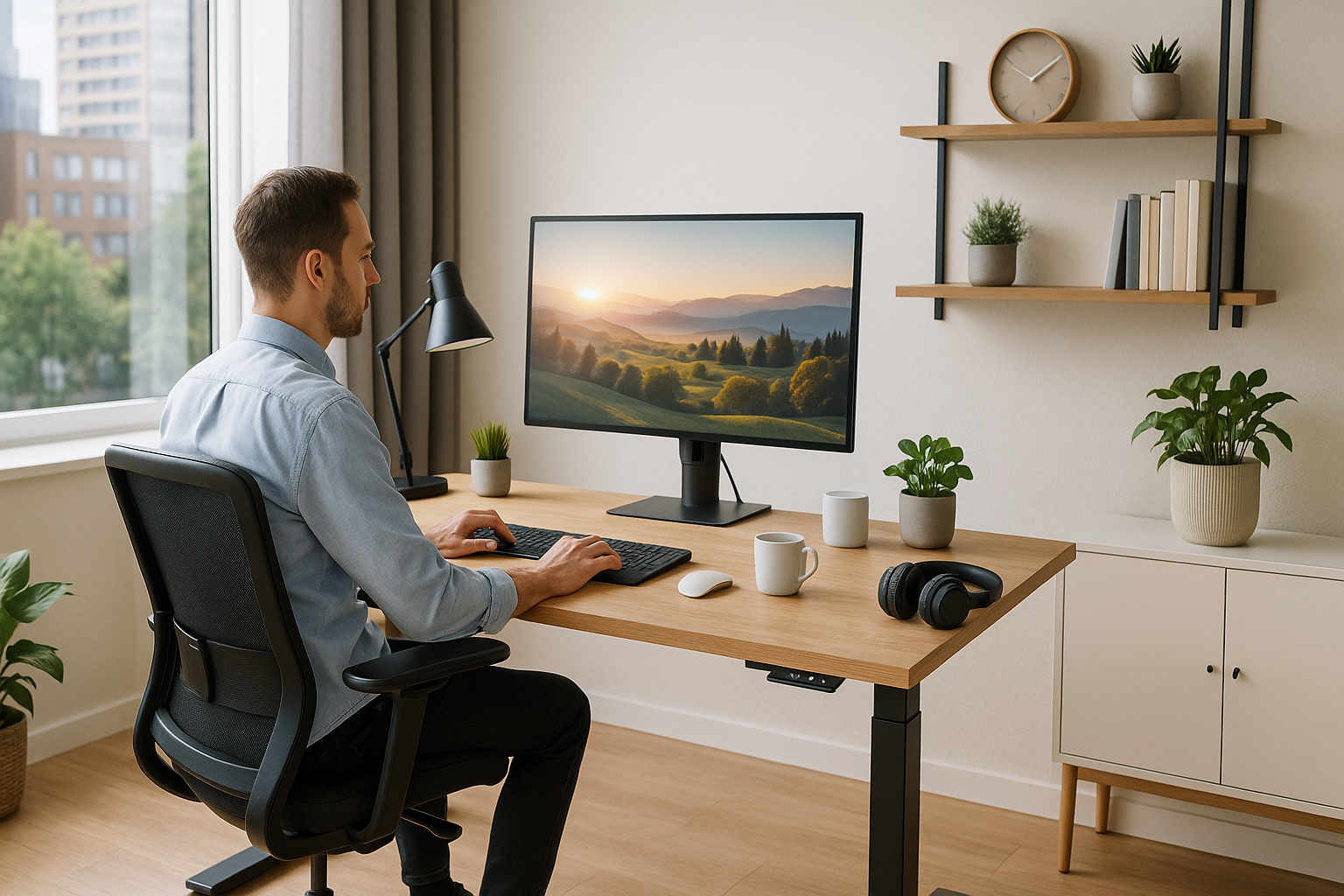



Introduction: Why Remote Work Needs Better Setups in 2025
The way we work has changed forever. Millions of professionals now spend most of their time working from home, but the transition hasn’t always been smooth. Many home offices are makeshift — kitchen tables doubling as desks, poor lighting, and unreliable Wi-Fi dragging down productivity.
That’s where building a productive work-from-home setup in 2025 comes in. By upgrading your workspace with ergonomic furniture, advanced tech, and mindful design, you can transform your home into a hub of focus and efficiency.
Whether you’re a digital nomad, a freelancer, or a corporate employee with a hybrid schedule, the right setup can dramatically improve not only your output but also your mental and physical health.
The Core Elements of a Productive Work-from-Home Setup in 2025
A productive work-from-home setup in 2025 isn’t just about having a laptop and Wi-Fi. It’s about designing a system that optimizes comfort, focus, and efficiency. Let’s break down the essentials:
Ergonomic Furniture Essentials
Sitting for long hours can cause back pain, poor posture, and long-term health issues. In 2025, ergonomic furniture isn’t a luxury — it’s a necessity.
Ergonomic Chairs: Adjustable lumbar support, breathable mesh backs, and armrests that encourage good posture. Brands like Herman Miller and Steelcase remain top choices.
- Standing Desks: Electric sit-stand desks allow you to alternate between sitting and standing, improving circulation and reducing fatigue.
- Monitor Arms: Adjustable monitor arms keep screens at eye level, preventing neck strain.
- Footrests & Cushions: Small accessories that make a big difference in comfort.
💡 Pro Tip: Pair your ergonomic chair with a standing desk for maximum flexibility.
Best Tech Gadgets for Remote Workers
The right technology can make or break your productivity. For 2025, smart gadgets are designed to keep remote workers connected, comfortable, and efficient.
- Noise-Canceling Headphones: Block out background noise during calls and deep work sessions. Bose and Sony remain leaders.
- Ultra-Wide Monitors: More screen real estate for multitasking without juggling tabs.
- Mechanical Keyboards: Faster typing, customizable layouts, and reduced strain on wrists.
- High-Quality Webcams: Crystal-clear video calls are no longer optional. Look for 4K-enabled webcams with AI auto-focus.
- Smart Plugs & Voice Assistants: Automate lighting and devices with Alexa or Google Assistant.
Internet Speed, VPNs & Connectivity
Nothing kills productivity faster than slow or unstable internet. To build the ultimate productive work-from-home setup in 2025, make connectivity a priority.
- High-Speed Fiber Internet: Aim for at least 300 Mbps for seamless video calls and file transfers.
- Wi-Fi 6 or Wi-Fi 7 Routers: Faster, more reliable, and able to handle multiple devices without lag.
- VPN Services: Protect your privacy and ensure secure remote access. Services like NordVPN are reliable for professionals.
- Backup Mobile Hotspot: Essential for power outages or travel days.
Smart Lighting & Soundproofing for Focus
Lighting and sound have a huge impact on productivity. Poor lighting strains your eyes, while noise distractions destroy focus.
- Smart Lighting: Adjustable brightness and color temperatures mimic natural daylight, boosting mood and energy.
- Task Lamps: Direct, focused lighting for reading or note-taking.
- Soundproofing Panels: Reduce echo and block external noise.
- White Noise Machines: Mask distracting sounds during deep focus sessions.
Digital Tools to Power Your Work-from-Home Setup
A productive work-from-home setup in 2025 isn’t complete without powerful digital tools. These apps and platforms streamline workflows and communication.
- Notion: For task management, content planning, and collaboration.
- Slack & Microsoft Teams: Keep communication centralized and efficient.
- Zoom & Google Meet: Virtual meetings with reliable quality.
- Trello & Asana: Project management tools for visualizing progress.
- AI Writing Tools: Tools like ChatGPT help with emails, content, and brainstorming.
AI-Powered Assistants in 2025
AI has become a game-changer for remote productivity. Instead of juggling endless apps and tasks, AI assistants can automate and optimize your workflow.
- AI Scheduling Assistants: Book meetings, manage calendars, and send reminders.
- AI Email Sorting: Automatically filters priority emails from clutter.
- AI Habit Trackers: Recommend breaks, posture corrections, and focus sessions.
- AI-Powered Insights: Monitor productivity trends and suggest improvements.
Work-Life Balance: Designing a Healthier Home Office
Working from home often blurs the lines between work and personal life. To avoid burnout, balance is key.
- Dedicated Workspace: Separate from your bedroom or living room if possible.
- Break Reminders: Use apps like Time Out or Stretchly to remind you to move.
- Greenery & Plants: Indoor plants reduce stress and improve air quality.
- Mindfulness Corner: A space for meditation, yoga, or simple relaxation.
Budget vs. Premium Home Office Setups
| Budget Setup (~$500) | Premium Setup ($2,000+) |
|---|---|
| Ergonomic chair (mid-range) | Herman Miller or Steelcase chair |
| Adjustable desk (manual) | Electric sit-stand desk |
| Basic webcam & headset | 4K webcam & noise-canceling headphones |
| Standard monitor | Ultra-wide curved monitor |
| Simple LED lighting | Smart daylight-simulating system |
Case Studies: Successful Work-from-Home Setups
Freelancer Example
A content writer uses a minimalist desk setup with a laptop, ergonomic chair, and AI writing tools to stay focused.
Digital Nomad Example
A software engineer living in Bali uses a portable standing desk, VPN service, and noise-canceling headphones for seamless remote work.
Corporate Remote Worker Example
A project manager has a dual-monitor premium setup, AI assistants, and smart lighting for extended focus sessions.
Mistakes to Avoid When Building Your Setup
- Working from your bed or couch — it kills posture.
- Ignoring lighting — poor light leads to eye strain.
- Relying on weak internet — causes missed deadlines.
- Overcrowding your space with unnecessary gadgets.
- Forgetting about ergonomics until pain sets in.
Future Trends in Remote Workspaces
By 2030, expect:
- Immersive AR/VR Offices — working in virtual environments.
- Smart Desks with Built-in AI — automatic height adjustments and productivity tracking.
- Eco-Friendly Home Office Designs — sustainable materials and energy-saving tech.
- Biophilic Workspaces — natural elements like plants, wood, and water features integrated.
FAQs
1. What’s the most important element of a productive work-from-home setup in 2025?
Ergonomics. Without the right chair, desk, and monitor placement, your productivity will suffer.
2. How do I stay motivated when working from home?
Create routines, set boundaries, and use digital tools to stay accountable.
3. Are standing desks worth it?
Yes, alternating between sitting and standing improves energy and reduces health risks.
4. How can AI improve remote work productivity?
AI tools handle repetitive tasks, schedule meetings, and provide insights, allowing you to focus on high-value work.
5. Should I invest in premium or budget equipment?
It depends on your work needs. Budget setups are fine for light tasks, while premium setups pay off for long-term comfort and productivity.
6. Can lighting really impact productivity?
Absolutely. Smart lighting reduces eye strain, improves focus, and helps regulate your energy throughout the day.
Conclusion: Building the Best Productive Work-from-Home Setup in 2025
Creating a productive work-from-home setup in 2025 is about balance: ergonomic furniture, smart tech, fast internet, and wellness practices. Whether you’re on a budget or ready to invest in premium gear, the key is designing a space that supports your health and helps you perform at your best.
Your home office should empower you — not drain you. Build it thoughtfully, and watch your productivity soar in 2025.
Further Reading & Trusted Resources
Official Product Pages & Research
- Herman Miller – Ergonomic Chairs
- Steelcase – Ergonomic Seating & Desks
- Uplift Desk – Sit‑Stand Desks
- Bose – Noise‑Canceling Headphones
- Sony – WH‑1000XM Series
- Logitech – Webcams & Keyboards
- NordVPN – Secure Remote Access
- Notion – Workspace & Docs
- Slack – Team Communication
- Microsoft Teams – Collaboration
- Zoom – Video Meetings
- Asana – Project Management
- Trello – Kanban Boards
- OSHA – Ergonomics Guidance
- Mayo Clinic – Office Ergonomics
All Rights Reserved © 2026